
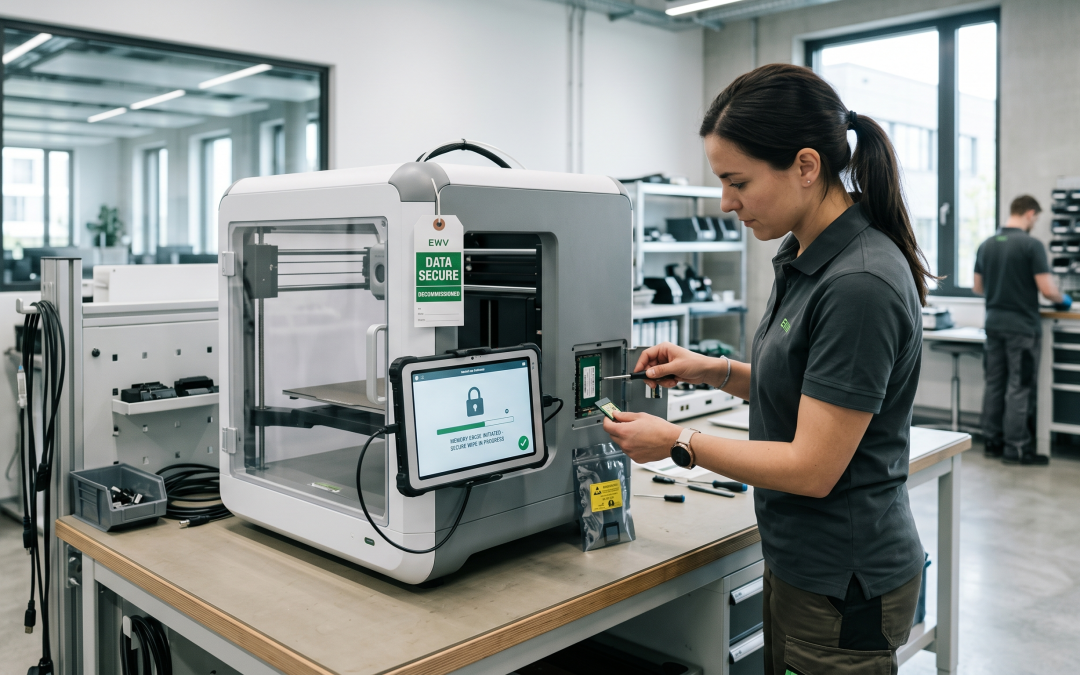
3D printers have moved well beyond hobbyist workshops into mainstream manufacturing, prototyping, healthcare, and defence applications. As these machines become more sophisticated and more widely deployed, the question of how to dispose of them securely is becoming increasingly relevant. Many organisations do not realise that their 3D printers store data that could be commercially sensitive or even subject to export controls.
What Data Do 3D Printers Store?
Modern 3D printers, particularly industrial and professional models, are essentially specialised computers with built-in storage. Depending on the make and model, a 3D printer might retain print job histories including complete 3D model files (STL, OBJ, or proprietary formats), slicer settings and print parameters that represent optimised manufacturing knowledge, network configuration data including Wi-Fi credentials and server addresses, user account information and access logs, firmware that may contain proprietary algorithms, and material usage records and calibration data.
Some industrial 3D printers maintain detailed logs of every print job ever run, including the full digital files. If those files represent proprietary product designs, prototypes under development, or components for sensitive applications, the data on a decommissioned printer could be extremely valuable to competitors or malicious actors.
The Intellectual Property Risk
Consider a product development team that has spent years perfecting a component design. Throughout that process, dozens or hundreds of iterations were printed, each with slightly different parameters. The 3D printer’s internal storage may contain every one of those iterations, essentially providing a complete record of the design evolution and the final optimised parameters.
For organisations in competitive industries, this data represents core intellectual property. For defence contractors or aerospace companies, 3D print files may be subject to International Traffic in Arms Regulations (ITAR) or similar export control frameworks. Improper disposal of printers containing such data could have serious legal consequences.
Medical and dental 3D printers present their own category of risk. Printers used to create patient-specific surgical guides, dental aligners, or prosthetic devices may retain files containing patient anatomical data derived from CT scans or MRI images. This data falls under health privacy regulations and must be handled accordingly.
Types of 3D Printers and Their Storage
The data risk varies significantly across different types of 3D printing technology. Desktop FDM (fused deposition modelling) printers with basic controllers may store minimal data, often just the most recent print file on an SD card. These are relatively straightforward to sanitise by simply removing and wiping the SD card.
Professional and industrial printers are another matter entirely. SLA (stereolithography), SLS (selective laser sintering), and metal 3D printers typically run on embedded computers with significant storage capacity. They often include network connectivity, cloud integration for fleet management, and comprehensive job logging. Some manufacturers operate cloud platforms where print data is synchronised, adding another location where sensitive data may persist.
Multi-material and multi-process systems can be particularly complex, with separate controllers for different print heads or processing stages, each potentially maintaining independent storage.
Secure Disposal Steps
Before disposing of any 3D printer, take these steps to protect your data. First, identify all storage media in the system. This typically includes internal hard drives or SSDs, SD cards or USB drives, and any removable storage used for print file transfer. Check the manufacturer’s documentation for the complete list of storage components, as some may not be immediately visible.
Clear the print job history through the printer’s built-in interface if it offers that function. However, do not rely solely on the printer’s own deletion capabilities, as these typically perform a standard file deletion that leaves data recoverable. For the internal storage, apply proper data sanitisation methods appropriate to the media type.
If the printer was connected to a network, change any credentials it had access to, including Wi-Fi passwords, network shares, and cloud platform accounts. Revoke the printer’s access to any cloud-based fleet management or file sharing services.
Environmental Disposal
3D printers contain electronic components that fall under e-waste regulations in Victoria and cannot be sent to landfill. Beyond the electronic components, 3D printers may also contain materials requiring special handling: UV-curable resins (some of which are classified as hazardous), solvent tanks, laser components, and in the case of metal printers, fine metal powders that can be reactive or toxic.
Proper recycling of 3D printers recovers valuable materials while keeping hazardous components out of the waste stream. Working with a disposal provider experienced in handling industrial printing equipment ensures both the data security and environmental aspects are managed correctly.
Looking Forward
As 3D printing continues to expand into more industries and more sensitive applications, the data security implications of printer disposal will only grow. Organisations should treat 3D printers as data-bearing assets in their IT asset management policies, subject to the same inventory, classification, and secure disposal requirements as any other networked device that processes sensitive information.
EWV helps Victorian businesses manage e-waste and IT asset disposal compliantly and sustainably — including collection, certified data destruction, and recycling. Contact us for a free quote.