
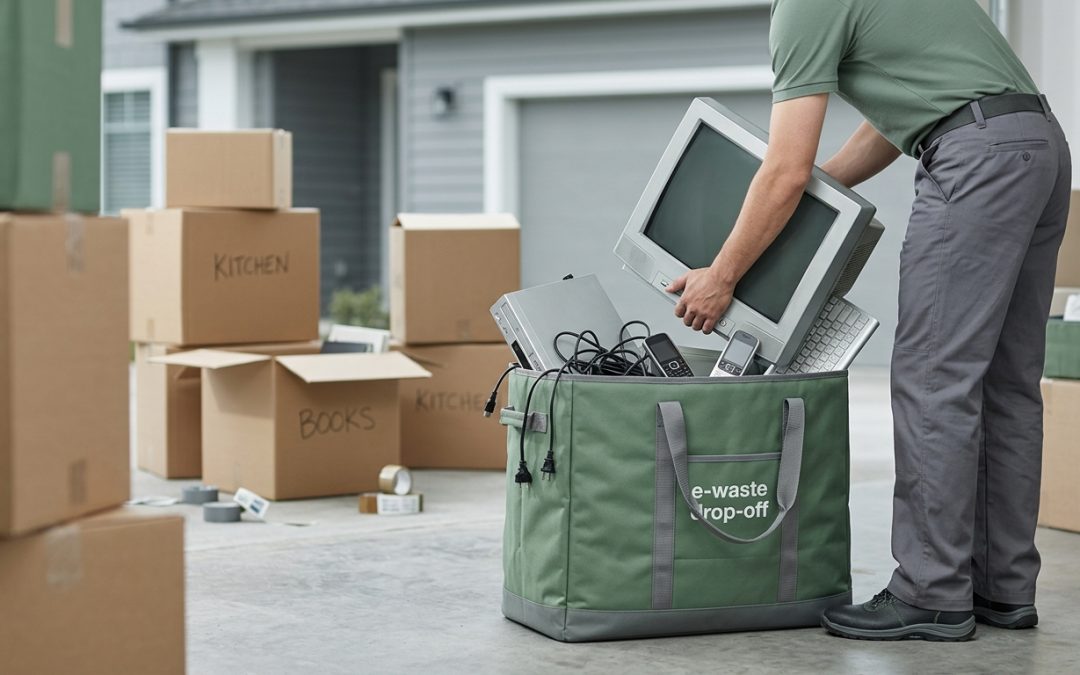
The Hidden E-Waste Problem When Moving House
Moving house is stressful enough without dealing with a garage full of old electronics. Yet that’s exactly what most Australians face when packing day arrives. The boxes of tangled cables, the old printer that hasn’t worked since 2019, the spare laptop collecting dust in a drawer. Moving is actually one of the best opportunities to responsibly deal with your accumulated electronic waste, rather than hauling it to your new address only to shove it in another cupboard.
According to the Australian Bureau of Statistics, Australians move house roughly once every seven years on average. That means every move represents years of accumulated tech that needs sorting. Getting it right before you move saves space, reduces moving costs, and keeps hazardous materials out of landfill.
Start with a Tech Audit Room by Room
Before you start packing, walk through every room with a notebook or your phone. You’ll be surprised how much electronic equipment hides in plain sight. The kitchen alone might have a broken toaster, an old microwave, a set of scales that lost its batteries years ago, and a drawer full of phone chargers for devices you no longer own.
Go through each space methodically. Check bedrooms for old alarm clocks, charging cables, and forgotten tablets. Look in the home office for outdated routers, dead hard drives, and monitors. The living room likely has old remote controls, gaming equipment, and perhaps a sound system that’s been replaced. Don’t forget the garage and shed, where power tools with dead batteries and old car electronics often end up.
Sort everything into three categories: taking with you, selling or donating, and recycling. Be honest about what you’ll actually use. If it’s been sitting untouched for more than a year, it’s probably not making the trip.
Protect Your Data Before Anything Leaves Your Hands
This is the step most people skip, and it’s arguably the most important. Every device with storage, from phones to printers to smart home hubs, may contain personal data that needs to be properly wiped before disposal or donation.
- Smartphones, tablets, and laptops (photos, passwords, banking apps)
- Printers and scanners (stored documents, Wi-Fi passwords)
- Smart TVs and streaming devices (account credentials)
- Gaming consoles (payment information, saved accounts)
- Smart home devices like Alexa or Google Home (voice recordings, Wi-Fi details)
- Old routers and modems (network passwords, connected device history)
For smartphones and tablets, perform a factory reset after backing up anything you want to keep. For computers, a full disk wipe using certified software that meets standards like NIST 800-88 is the safest approach. Simply deleting files or formatting a drive does not actually remove the data, it just removes the pointers to where the data is stored.
For more detail on proper data wiping methods, see our comparison of hard drive destruction methods.
Selling and Donating What Still Works
If devices are still functional, selling or donating them is better than recycling from both an environmental and economic perspective. Reuse always beats recycling in the waste hierarchy. Facebook Marketplace, Gumtree, and eBay are all good options for selling working electronics.
Many charities accept working electronics too. Some organisations refurbish donated laptops and tablets for students or disadvantaged communities. Just make sure everything is wiped clean before handing it over. A device that works but contains your personal data is a liability, not a gift.
When listing items for sale, be upfront about their condition. Include the model number, age, and any issues. Taking a few minutes to photograph and list items a couple of weeks before your move gives you the best chance of selling them before packing day.
Recycling What Can’t Be Reused
For electronics that are broken, obsolete, or not worth selling, proper recycling is essential. In Victoria, it has been illegal to dispose of e-waste in general rubbish bins since 1 July 2019. This applies to everything from batteries to televisions. Other states have similar regulations or are moving in that direction.
Options for recycling e-waste before your move include council e-waste collection days, permanent drop-off points at transfer stations, retailer take-back programs for specific items like batteries and mobile phones, and dedicated e-waste recycling services that can handle larger volumes.
If you have a significant amount of e-waste, particularly from a home office, it may be worth contacting a professional e-waste recycling service. They can often arrange a single collection that handles everything, which is far more convenient than multiple trips to different drop-off points during an already hectic time.
For a broader overview of recycling options, check out our complete guide to e-waste recycling in Australia.
Timing Your E-Waste Disposal
Don’t leave e-waste sorting to the last minute. Start at least two to three weeks before your move date. This gives you time to sell items online, book any collection services, and find out when your local council’s next e-waste collection day is.
Here’s a rough timeline that works well:
Three weeks before: Complete your tech audit and list sellable items online. Start wiping data from devices you’re getting rid of.
Two weeks before: Drop off smaller items at retailer take-back points. Book any professional collection services. Chase up online sales.
One week before: Make a trip to your local transfer station with remaining items. Cancel any subscriptions or accounts linked to devices you’re disposing of.
Moving day: Do a final sweep for any electronics you missed. Check behind furniture, in drawers, and on top of cupboards.
Special Items That Need Extra Attention
Some electronics require special handling. Batteries of all types, including lithium-ion batteries in laptops and phones, should never go in general waste or standard recycling bins due to fire risk. Take them to dedicated battery recycling points, which are available at most supermarkets and hardware stores through programs like B-cycle.
Old CRT televisions and monitors contain lead and require specialist recycling. They’re heavy and awkward too, so factor in how you’ll transport them. Fluorescent tubes and compact fluorescent lamps contain mercury and also need specialist disposal.
If you have a home solar system or backup batteries, these need professional handling. Contact your installer or a licensed electrician to discuss decommissioning options before your move.
The Moving Day Checklist
- All personal data wiped from every device leaving your possession
- Smart home devices reset and deregistered from your accounts
- No batteries left in drawers, remotes, or devices
- Old cables and chargers sorted (recycle what you won’t use)
- Garage and shed checked for power tool batteries and old car electronics
- NBN or modem equipment returned to your provider if required
- Nothing electronic left in general rubbish bins
Moving house doesn’t have to mean dragging years of electronic clutter to a new address or, worse, dumping it irresponsibly. With a bit of planning, you can start fresh at your new place while making sure your old tech is handled properly. Your wallet, your data, and the environment will all be better for it.
For more practical guidance on responsible electronics disposal, explore our guide to the environmental cost of electronic waste.
EWV helps Victorian businesses manage e-waste and IT asset disposal compliantly and sustainably — including collection, certified data destruction, and recycling. Contact us for a free quote.