
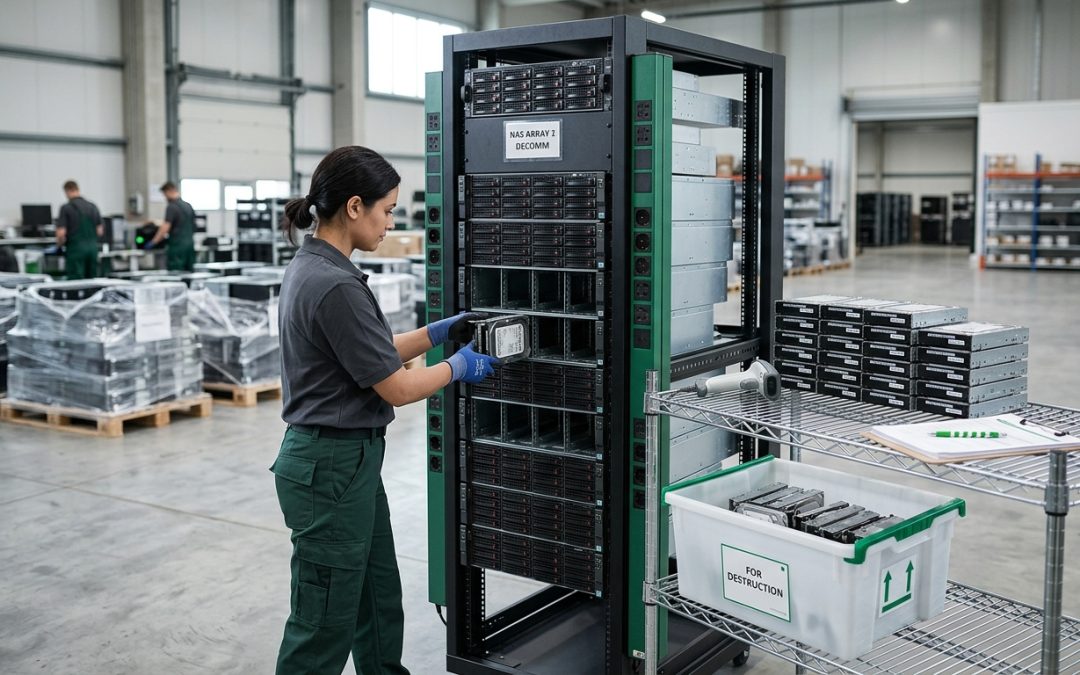
NAS Devices: More Than Just a Box of Drives
Network Attached Storage (NAS) devices are a common fixture in offices and server rooms, providing shared file storage, backup targets, and media servers. When a NAS reaches end of life, disposing of it securely requires more than just pulling out the drives. NAS devices contain data in multiple locations, run their own operating systems, and may hold configuration information that reveals details about your network and users.
Where Data Lives on a NAS
A NAS device stores data in several distinct locations, and all of them need to be addressed during disposal.
Data drives: The primary storage drives (HDDs or SSDs) contain user files, shared folders, backups, and any other data stored on the NAS. These drives are typically configured in a RAID array, which means data is distributed across multiple drives. Every drive in the array must be sanitised, as discussed in our guide to RAID array disposal.
System drive or flash: Many NAS devices have a separate internal storage location for the operating system, typically a small SSD, USB flash drive, or embedded flash module. This system storage contains the NAS operating system, installed applications, system logs, and configuration databases. It does not contain user files but does hold sensitive operational data.
RAM and cache: While volatile memory is cleared when the NAS is powered off, some NAS devices have battery-backed or flash-backed write caches that can persist data across power cycles. These caches may contain recently written data that has not yet been flushed to the drives.
Configuration data: The NAS configuration includes user accounts and passwords (or password hashes), share permissions and access control lists, network configuration (IP addresses, DNS settings, domain membership), Active Directory or LDAP integration settings, VPN configurations, SSL/TLS certificates, email notification settings with SMTP credentials, and cloud synchronisation accounts and tokens.
NAS Operating Systems and Their Data
Major NAS manufacturers ship their devices with proprietary operating systems that maintain extensive configuration and log databases. Synology DSM, QNAP QTS, TrueNAS, and similar platforms store user accounts, application settings, access logs, and system event histories in their own databases separate from the data drives.
These operating systems also support third-party applications (containers, virtual machines, package-based applications) that may store their own data and configuration on the system drive or on dedicated volumes. Docker containers running on a NAS, for example, may contain application data, databases, and credentials that need to be addressed during disposal.
Sanitisation Approach
A comprehensive NAS disposal process should address each data location systematically.
Step 1: Inventory all storage. Before beginning sanitisation, document every storage device in the NAS, including data drives, the system drive or flash, any expansion units, and any external USB devices connected to the NAS. Check the NAS management interface for a complete list of installed storage.
Step 2: Factory reset. Use the NAS operating system’s factory reset function to clear the configuration database, user accounts, and installed applications. This is typically accessible through the web management interface or through a physical reset button on the device. Note that a factory reset may not erase the data drives, so this step addresses configuration data only.
Step 3: Sanitise data drives. Remove all data drives from the NAS and sanitise them individually using NIST 800-88 compliant wiping tools or physical destruction. Do not rely on the NAS operating system’s format or erase functions, as these may not meet the required sanitisation level. Wiping drives individually outside the RAID array provides better assurance than array-level wiping.
Step 4: Address the system drive. If the NAS uses a separate system drive (internal SSD, USB flash, or DOM module), remove it and sanitise or destroy it separately. If the system storage is embedded flash that cannot be removed, the factory reset in Step 2 is the primary sanitisation method, supplemented by physical destruction of the entire NAS if the data sensitivity warrants it.
Step 5: Clear cache. If the NAS has a battery-backed or flash-backed write cache, ensure it is flushed before drives are removed. Most NAS operating systems provide an option to safely shut down the device, which includes flushing the cache. Removing drives while the cache contains unflushed data can leave data remnants on the cache module.
Expansion Units and External Storage
Many NAS deployments include expansion units (DAS devices) that add additional drive bays. These expansion units and their drives must be included in the disposal plan. Additionally, USB drives or external storage connected to the NAS for backup or other purposes may contain copies of NAS data and need to be sanitised.
Cloud Synchronisation and Replication
If the NAS was configured to synchronise data with cloud storage services (such as AWS S3, Azure Blob, Google Drive, or Dropbox), copies of the NAS data exist in the cloud. Disposing of the NAS hardware does not eliminate cloud copies. As part of the disposal process, review and decommission any cloud synchronisation configurations, and delete cloud copies if they are no longer needed.
Similarly, if the NAS was part of a replication pair with another NAS device (for disaster recovery or site-to-site backup), the replica NAS may contain a complete copy of the data. Both devices must be addressed in the disposal plan.
Enterprise vs Consumer NAS
Enterprise NAS platforms (NetApp, Dell EMC, HPE, Pure Storage) have more complex architectures than consumer or SMB NAS devices. They may have dedicated management controllers with their own firmware and configuration, separate boot devices for the storage operating system, distributed file systems that span multiple physical nodes, and deduplication and compression engines that complicate data layout on physical drives.
For enterprise NAS systems, engage with the manufacturer’s documentation for model-specific decommissioning procedures, or work with a certified ITAD provider experienced with the specific platform.
NAS devices are compact but complex storage systems. Treating them as more than just a box of drives ensures that all data locations are properly addressed during disposal.
EWV helps Victorian businesses manage e-waste and IT asset disposal compliantly and sustainably — including collection, certified data destruction, and recycling. Contact us for a free quote.