
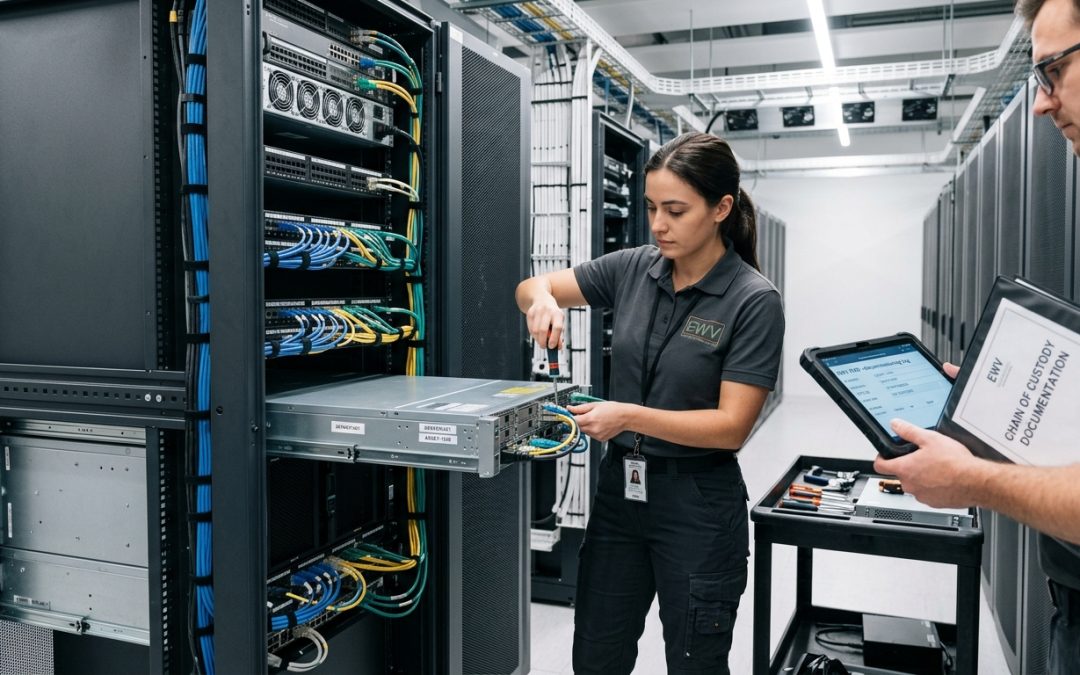
Getting Server Decommissioning Right
Decommissioning a server is one of the most data-sensitive IT disposal tasks an organisation undertakes. Servers typically hold the crown jewels of business data: databases, email archives, file shares, application data, and system configurations. A methodical, step-by-step approach ensures that no data is overlooked, all compliance requirements are met, and the organisation’s infrastructure remains secure throughout the process.
Phase 1: Planning and Preparation
Identify all data and services: Before touching the server, document everything it hosts. This includes applications and services running on the server, databases and their contents, file shares and their users, scheduled tasks and automated processes, network services (DNS, DHCP, Active Directory roles), backup configurations, and integration points with other systems.
Review dependencies: Map out which other systems, applications, and users depend on the server. Decommissioning a server without understanding its dependencies can cause unexpected outages. Check network connections, application references, DNS records, and firewall rules that point to the server.
Verify data migration: Confirm that all required data and services have been migrated to replacement systems and that the replacements are functioning correctly. Test the replacement services under realistic conditions before proceeding with decommissioning.
Check retention and legal holds: Verify that all data on the server has been assessed against applicable retention schedules and that no legal holds, FOI requests, or e-discovery obligations prevent destruction. Cross-reference with legal and compliance teams before authorising the decommissioning.
Phase 2: Service Decommissioning
Notify stakeholders: Inform all affected users and teams about the decommissioning timeline. Provide adequate notice and confirm that they have access to replacement services.
Stop services gracefully: Shut down applications and services in the correct order to prevent data corruption. Database services should be stopped cleanly, with a final backup taken after the last write operation. File share access should be disabled to prevent new data being written during the decommissioning window.
Disconnect from network: Remove the server from Active Directory and any other directory services. Update DNS records to remove references to the server. Remove or update firewall rules. Disconnect the server from the production network to prevent any further network traffic.
Final backup: Take a final backup of the server’s complete state. This backup serves as a safety net in case data needs to be recovered after decommissioning. Store this backup according to your retention policy, not on the server itself.
Phase 3: Data Destruction
Inventory all storage: Document every storage device in the server, including boot drives (internal SSDs, M.2 drives, SD cards), data drives (HDDs, SSDs in drive bays), RAID arrays (noting the RAID level, number of drives, and any hot spares), cache devices (NVMe write caches, read caches), internal USB devices, and any connected external storage.
Flush caches: Ensure that any battery-backed or flash-backed write caches on RAID controllers are flushed to the drives before drive removal. Initiate a clean shutdown of the RAID controller to flush pending writes.
Remove drives: Physically remove all storage devices from the server. Label each drive with the server name, slot position, and date of removal to maintain traceability.
Sanitise drives: Sanitise each drive individually using NIST 800-88 compliant methods appropriate to the media type. Use Clear or Purge level for drives that will be reused. Use physical destruction for drives containing highly sensitive data or drives that have failed and cannot be software-wiped.
Clear firmware and management: Reset the server’s BIOS/UEFI to factory defaults and clear all passwords. Clear the TPM. Reset the BMC (iDRAC, iLO, XCC) to factory defaults, removing all stored credentials, certificates, and network configuration. Clear the RAID controller configuration.
Phase 4: Physical Disposal
Asset register update: Update the IT asset register to reflect the server’s decommissioned status. Record the disposal method, date, and any relevant certificate numbers.
Determine disposition: Based on the server’s age, condition, and residual value, determine the appropriate disposition path. Options include refurbishment and redeployment internally, sale through a certified ITAD provider, refurbishment for resale, donation to a qualifying organisation, or recycling through a certified e-waste processor in compliance with Victoria’s e-waste landfill ban.
Chain of custody: Maintain a documented chain of custody for the server and its components from the point of decommissioning through to final disposition. Record every transfer, including who handled the equipment, when, and where it was taken.
Phase 5: Documentation and Closure
Compile the decommissioning record: Create a comprehensive record that includes the server details (make, model, serial number, asset tag), a list of all storage devices removed with serial numbers, certificates of destruction or sanitisation for each storage device, the BMC/BIOS/TPM reset confirmation, the chain-of-custody log, the final disposition (reuse, sale, recycling), and sign-off from the authorising manager.
Clean up related systems: Remove backup jobs that targeted the decommissioned server. Delete the server from monitoring systems. Remove licences allocated to the server. Clean up any remaining DNS, DHCP, and Active Directory objects. Update network diagrams and documentation.
Archive the decommissioning record: Store the complete decommissioning documentation in your compliance records for the period required by your retention policy. This record is your evidence of proper disposal if a compliance question arises in the future.
Server decommissioning done well protects the organisation’s data, maintains compliance, and recovers value from retired assets. Done poorly, it creates security gaps, compliance failures, and operational disruptions. The investment in a structured process pays for itself many times over.
EWV handles IT asset disposition (ITAD) end-to-end for Victorian businesses — from collection and data destruction through to certified recycling or refurbishment for resale. Get in touch for a tailored ITAD quote.