
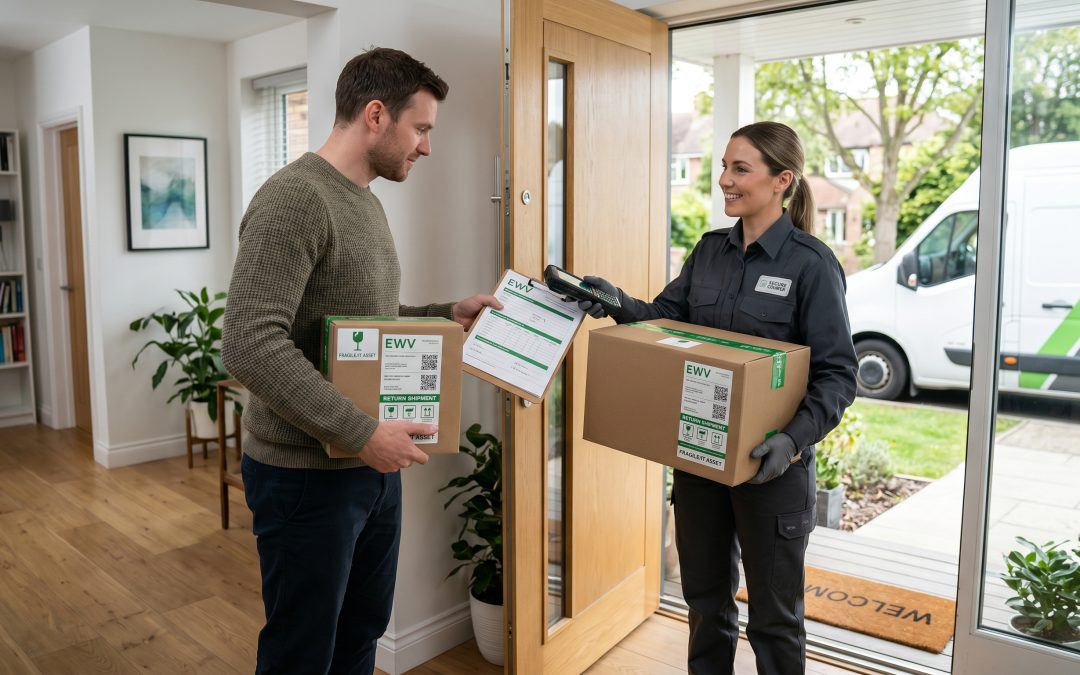
The Distributed Challenge of Remote Worker Equipment
The shift to remote and hybrid work has fundamentally changed how organisations manage IT equipment. Instead of centralised offices where devices can be collected and processed in one location, equipment is now scattered across hundreds of home offices, co-working spaces, and regional locations. When these devices reach end of life or when remote workers leave the organisation, getting equipment back securely and ensuring data destruction presents logistical challenges that many businesses have not fully addressed.
Remote worker devices are particularly vulnerable during the disposal process because they exist outside the physical security perimeter of the office. There is no IT team down the hall to collect and process the device. The gap between when a device is flagged for return and when it actually arrives back at a central location creates a window of exposure that does not exist with office-based equipment.
Types of Data on Remote Worker Devices
Remote worker laptops and mobile devices typically contain the same range of data as office-based equipment, but with some additional considerations. Home-based workers may have accumulated personal files alongside business data over months or years of remote work, making the device a hybrid repository of personal and corporate information.
Cached copies of cloud-based files represent a significant data footprint. Even when workers primarily use cloud platforms like SharePoint, Google Drive, or Dropbox, local synchronisation creates copies of files on the device’s storage. These cached copies persist even if the cloud-based originals are deleted or access is revoked.
VPN configurations, saved Wi-Fi credentials for corporate networks, authentication tokens, and cached passwords for business applications all present security risks if the device is not properly sanitised before disposal or reassignment.
Home printers connected to work devices may have print queues or spooled documents containing sensitive information. While the printer itself is not a company asset, the data sent to it from company devices is the organisation’s responsibility.
Challenges of Remote Device Returns
Geography is the most obvious challenge. A remote worker in regional Queensland returning a device to a head office in Melbourne involves shipping through multiple hands. The device travels through postal or courier networks where it could be lost, damaged, or stolen, with all its data intact during transit.
Verification of device condition and completeness is difficult to perform remotely. When a device is returned from a remote worker, the organisation must trust that the correct device has been returned and that no peripherals or storage media have been retained. Accessories like external hard drives, USB sticks, and SD cards that were issued alongside the primary device are easily overlooked or forgotten.
Timing coordination adds complexity. When a remote worker is departing, the organisation needs to balance data security (collecting the device as quickly as possible) with practical considerations (the worker may need the device during their notice period). This balancing act requires clear policies and communication.
Remote Wipe as a First Line of Defence
Mobile device management (MDM) and endpoint management tools provide the ability to remotely wipe devices before they are physically returned. This is the single most important capability for managing remote device disposal securely. By initiating a remote wipe while the device is still in the worker’s possession, the data risk during transit is eliminated.
However, remote wipe has limitations. It requires the device to be powered on and connected to the internet. If a device is lost, damaged, or simply turned off, the remote wipe command cannot execute. Some remote wipe implementations perform a basic factory reset rather than a full NIST 800-88 compliant sanitisation, which may leave data recoverable.
For these reasons, remote wipe should be treated as a complement to, not a substitute for, proper data destruction once the device is returned. The remote wipe reduces risk during transit, while a full sanitisation upon receipt at the central location ensures complete data removal.
Establishing a Remote Device Return Process
A clear, documented return process should be established and communicated to all remote workers before they need to use it. The process should include instructions for preparing the device for return, the shipping method and packaging requirements, what to do with accessories and peripherals, and a timeline for when the return should be completed.
Shipping logistics should be handled by the organisation, not left to the remote worker to figure out. Providing pre-paid, tracked shipping labels with appropriate packaging materials removes barriers to timely returns and ensures that the organisation can monitor transit. Tamper-evident packaging adds a layer of security that helps identify if the device has been accessed during shipping.
For high-value or highly sensitive devices, courier collection from the remote worker’s location provides better security than postal services. The additional cost of courier collection is justified when the device contains sensitive data and the organisation wants to minimise handling during transit.
Processing Returned Remote Devices
Upon receipt, each returned device should be logged against the asset register, with its serial number verified against the recorded assignment. The device should be inspected for completeness and any signs of tampering. All returned devices should be placed in a secure staging area pending data destruction.
Even if a remote wipe was performed before shipping, a full data sanitisation should be conducted upon receipt. This second pass accounts for any limitations of the remote wipe process and provides verified, documented destruction that meets compliance requirements.
For devices that will be reassigned to other remote workers, the full sanitisation must be completed and verified before redeployment. The new user should receive a clean device with no possibility of accessing the previous user’s data.
Devices being retired should be processed through the organisation’s standard ITAD process, with certificates of destruction issued and retained.
Policy Considerations for Remote Work
The organisation’s remote work policy should include clear provisions about IT equipment handling. These should address the worker’s responsibilities for device security during their employment, the process for reporting lost or stolen devices, restrictions on connecting personal storage devices or peripherals, and the return process when leaving the organisation or when equipment is being replaced.
Regular asset audits for remote workers help maintain visibility over distributed equipment. Periodic confirmation that remote workers still possess their assigned devices and accessories, along with verification that security software is current and active, reduces the risk of devices going missing without being reported.
BYOD arrangements, where workers use personal devices for work purposes, create additional complexity. When a worker using their own device leaves the organisation, the company data must be removed without destroying the worker’s personal information. MDM tools with selective wipe capabilities address this scenario, but the process should be clearly documented and tested before it is needed.
Protecting Data Beyond the Office Walls
Remote work is now a permanent feature of Australian business life. Organisations that build robust processes for managing the full lifecycle of remote worker devices, from deployment through to secure disposal and data destruction, protect themselves from the unique risks that come with a distributed workforce. The investment in clear policies, proper tools, and systematic processes pays dividends in reduced risk and demonstrated compliance.
EWV helps Victorian businesses manage e-waste and IT asset disposal compliantly and sustainably — including collection, certified data destruction, and recycling. Contact us for a free quote.