
The Dangerous Assumption About Failed Drives
When a hard drive fails, many organisations assume the data on it is gone. The drive will not boot, the operating system cannot read it, and it appears to be nothing more than a useless piece of hardware. This assumption is dangerously wrong. A hard drive that has failed from the perspective of normal computer operations may still contain fully recoverable data. Professional data recovery services routinely extract complete datasets from drives that have suffered mechanical failures, electronic failures, and even some forms of physical damage.
The gap between “this drive doesn’t work” and “the data on this drive is unrecoverable” is enormous. Failed drives that are discarded, recycled, or placed in storage without data destruction represent a significant and often unrecognised security risk.
Why Data Survives Drive Failure
Understanding why data persists on failed drives requires a basic understanding of how drives fail. Most hard drive failures affect the drive’s ability to operate as a functional component of a computer system, but they do not affect the magnetic platters where data is physically stored.
Head crashes, where the read/write head makes contact with the platter surface, typically damage only a portion of the platter. The remaining surface, and the data stored on it, remains intact. A data recovery specialist can often recover the majority of data from a drive that has experienced a head crash.
Electronic failures, such as a blown circuit board or failed controller chip, prevent the drive from communicating with the computer but leave the platters completely unaffected. Replacing the circuit board or using specialised hardware to read the platters directly can recover all data from an electronically failed drive.
Firmware corruption can render a drive unrecognisable to the operating system while the underlying data remains perfectly intact. Recovery tools that bypass the firmware layer can access the raw data on the platters without relying on the drive’s own firmware.
Even solid-state drives (SSDs) that report as failed may contain recoverable data. While SSD failure modes are different from mechanical drives, failed flash memory chips can often be read directly using specialised equipment, and wear-levelling algorithms may have preserved copies of data on cells that are not affected by the failure.
The Risk of Stockpiling Failed Drives
Many organisations have a drawer, cupboard, or storage room where failed hard drives accumulate over time. The IT team removes the drive from the failed machine, labels it as faulty, and places it in storage with the vague intention of dealing with it later. Over months and years, these stockpiles grow, each failed drive containing whatever data it held at the time of failure.
These stockpiles represent a concentrated data security risk. A single break-in to a storage room, or a single instance of someone cleaning out old equipment without checking what is in the box, could release dozens of data-laden drives into an uncontrolled environment. The drives might end up in e-waste recycling streams, second-hand electronics markets, or simply in a skip bin where anyone could retrieve them.
The longer failed drives sit in storage, the greater the risk. Staff turnover means that the people who know what is in the storage room change over time. Organisational memory of the stockpile fades. And the drives themselves do not become less readable with age; magnetic data on platters can persist for decades under normal storage conditions.
Data Destruction Options for Failed Drives
Software-based data sanitisation, the standard approach for functioning drives, cannot be used on drives that will not operate. This means failed drives require alternative destruction methods to ensure data is rendered unrecoverable.
Physical destruction is the most reliable method for failed hard drives. Shredding the drive into small pieces destroys the platters beyond any possibility of recovery. Industrial hard drive shredders reduce drives to fragments typically smaller than 25mm, making reconstruction and data recovery impossible.
Crushing or puncturing drives using hydraulic or mechanical presses deforms the platters, making standard recovery techniques ineffective. However, the level of deformation matters. A single puncture hole may not prevent recovery of data from the undamaged portions of the platter. Multiple punctures or significant deformation across the entire platter surface is needed for effective destruction.
Degaussing exposes the drive to a powerful magnetic field that disrupts the magnetic patterns on the platters, effectively erasing the data. Degaussing is highly effective for traditional magnetic hard drives but does not work on SSDs, which store data using electrical charges in flash memory cells rather than magnetic patterns.
For SSDs that have failed, physical destruction through shredding or crushing is the recommended approach. Degaussing has no effect on solid-state storage, and since the drive cannot be powered on for software-based erasure, physical destruction is typically the only viable option.
Integrating Failed Drive Destruction into IT Operations
Rather than allowing failed drives to accumulate, organisations should establish a regular processing schedule. When a drive fails and is removed from service, it should be placed in a secure, logged holding area with a maximum retention period before destruction. Monthly or quarterly destruction runs prevent stockpile buildup.
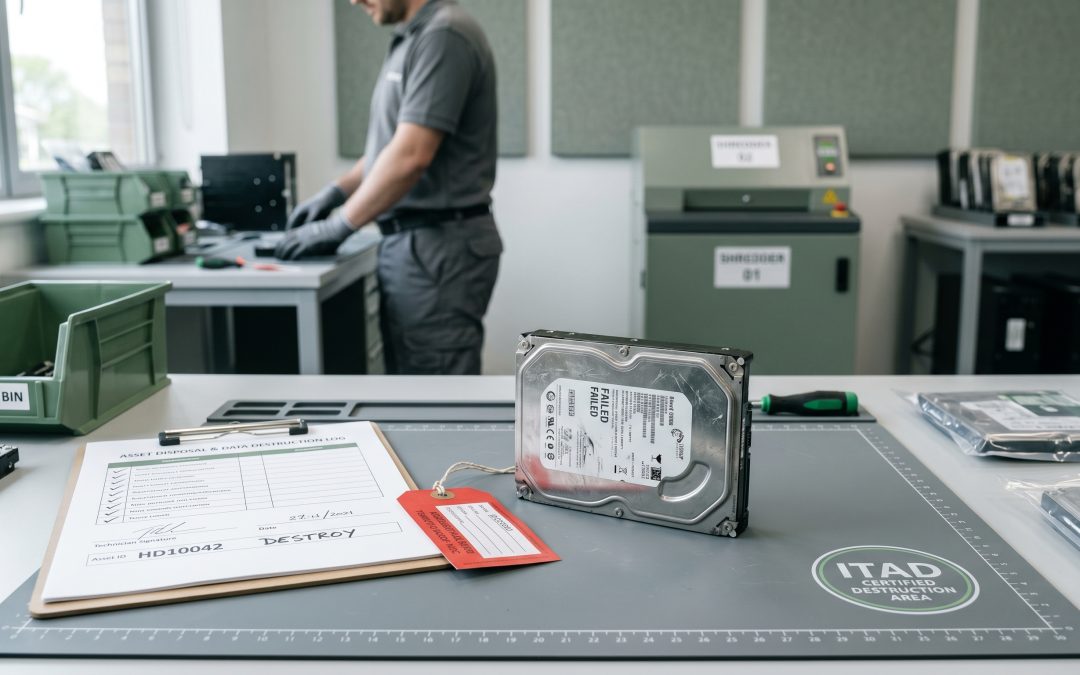
Every failed drive should be logged when it is removed from service. The log should record the drive’s serial number, the system it came from, the date of failure, and the types of data it may have contained. This log becomes the basis for tracking the drive through to destruction and matching it against the eventual certificate of destruction.
For organisations without in-house destruction equipment, engaging a certified IT asset disposition provider for regular collection and destruction of failed drives is the most practical approach. Many ITAD providers offer scheduled collection services where they pick up accumulated failed drives on a regular cycle, process them at their facility, and return certificates of destruction.
Compliance Implications
Under the Australian Privacy Act, the obligation to take reasonable steps to destroy personal information when it is no longer needed applies regardless of whether the storage medium is functioning. A failed drive containing customer records is subject to the same destruction obligations as a working drive containing the same data.
For organisations subject to specific compliance frameworks such as PCI DSS, ISO 27001, or industry-specific regulations, failed drive destruction should be documented as part of the broader information security management system. Auditors will expect to see evidence that failed drives are tracked and destroyed, not simply stockpiled or discarded.
The bottom line is straightforward: a failed drive is still a data-bearing device. Until the data on it has been verifiably destroyed through physical means, it presents the same risk as any other unwiped storage medium. Treating failed drives with the same security discipline as functioning equipment is not just best practice; it is a compliance requirement.
EWV provides NIST 800-88 certified data destruction for Victorian businesses, covering software-based erasure and physical destruction with full chain-of-custody documentation. Request a quote to discuss your requirements.