
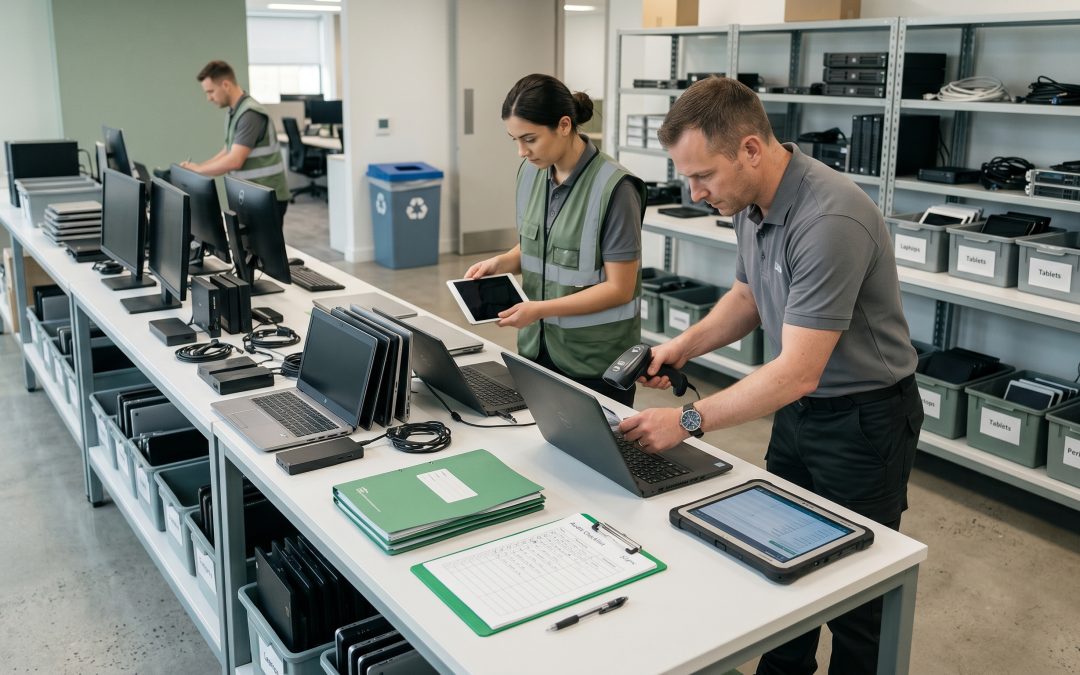
A thorough IT asset audit is the foundation of any successful disposal program. Without knowing exactly what equipment you have, where it is, and what data it contains, you cannot make informed decisions about how to handle it. Yet many organisations skip this step, treating disposal as a simple matter of clearing out old kit. That approach almost always leads to problems down the line.
Why Auditing Matters
An IT asset audit before disposal serves multiple purposes. It ensures no equipment falls through the cracks, which is both a data security concern and a compliance requirement. It helps you identify equipment that still has residual value and could be remarketed or refurbished rather than recycled. It provides the baseline documentation you need for certificates of destruction and regulatory compliance. And it often reveals assets you did not know you had, particularly in organisations with decentralised IT procurement.
The cost of getting disposal wrong far exceeds the cost of a proper audit. A single device containing unwiped customer data that ends up in the wrong hands can trigger reporting obligations under the Notifiable Data Breaches scheme and cause significant reputational damage.
What to Include in Your Audit
A comprehensive disposal audit should capture several key data points for every asset. Start with the basics: asset tag number, serial number, make, model, and location. Then add the information specific to disposal decisions: the type and capacity of storage media, whether the device is leased or owned, the current condition and potential resale value, the data classification level of information stored on the device, and any special handling requirements.
Do not limit your audit to traditional IT equipment. Modern offices contain data on printers, phones, video conferencing systems, access control panels, and increasingly on IoT devices. If it connects to a network or stores data, it belongs in your disposal audit.
Reconciling with Your Asset Register
If your organisation maintains an IT asset register, the disposal audit is your opportunity to reconcile it with reality. It is common to find discrepancies. Equipment may have been moved between offices without updating the register. Devices purchased outside the standard procurement process may never have been recorded. Equipment that was supposed to have been disposed of in a previous cycle may still be sitting in a cupboard somewhere.
Document every discrepancy you find. This information is valuable not just for the current disposal project but for improving your asset management processes going forward.
Physical Audit Process
A physical audit means walking through every space where IT equipment might be located. This includes obvious places like server rooms and office floors, but also less obvious locations: meeting rooms, reception areas, kitchens (where tablets or displays may be mounted), storage rooms, and individual desk drawers where old devices may have been stashed.
For larger organisations or those with multiple sites, consider a phased approach. Start with the areas most likely to contain sensitive equipment (server rooms, executive offices, IT storage) before moving to general office areas. Assign clear responsibilities for each area and set realistic timelines.
Use barcode scanners or mobile apps to speed up the process of capturing serial numbers and asset tags. Many asset management platforms offer mobile tools specifically designed for this purpose.
Data Classification During Audit
One of the most valuable steps you can take during a disposal audit is classifying the data sensitivity of each device. Not every piece of equipment requires the same level of data destruction. A monitor with no internal storage has very different disposal requirements from a server that processed customer financial records.
Work with your information security team to establish clear classification categories. A simple three-tier system (standard, confidential, highly confidential) is often sufficient. This classification drives decisions about whether devices can be resold, whether data can be wiped using software tools, or whether physical destruction is required.
Understanding data breach prevention through proper disposal helps frame why this classification step is so important.
Common Audit Pitfalls
Several common mistakes undermine the effectiveness of disposal audits. Relying solely on the existing asset register without physical verification is the most frequent error. Asset registers are almost always incomplete or out of date to some degree.
Forgetting about equipment held by remote or hybrid workers is another common gap. With the shift to flexible working, a significant portion of your IT estate may be in employees’ homes. Include a process for remote workers to report and return equipment as part of your audit.
Overlooking peripheral devices and accessories is also common. External hard drives, USB drives, SD cards, and backup tapes can all contain sensitive data but are easy to miss when focusing on larger equipment.
Documentation and Next Steps
Your completed audit should produce a clear inventory that feeds directly into your disposal planning. Group equipment by data classification, condition, and disposal method (remarket, refurbish, recycle, or destroy). This grouping makes it easier to get quotes from ITAD providers and ensures every device is handled appropriately.
Keep your audit documentation as a permanent record. It forms part of the chain of custody for disposed assets and demonstrates due diligence if questions arise later about how specific equipment was handled.
EWV helps Victorian businesses manage e-waste and IT asset disposal compliantly and sustainably — including collection, certified data destruction, and recycling. Contact us for a free quote.