
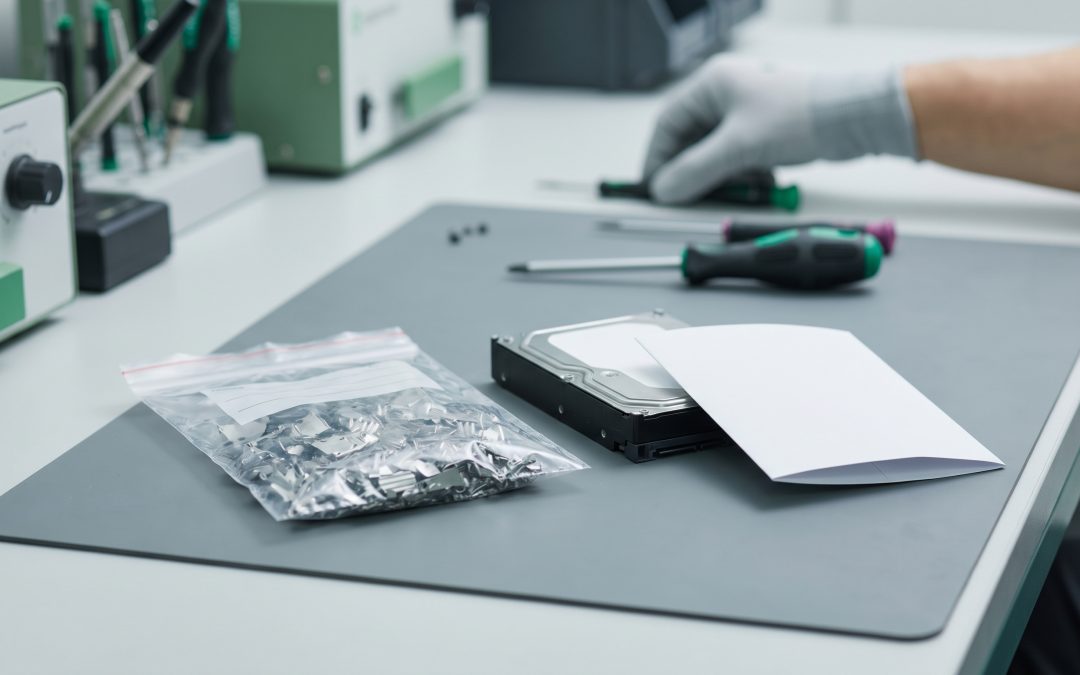
The choice between physically shredding a hard drive and wiping it with software is one of the most common decisions in IT asset disposition. Both methods can effectively prevent data recovery, but they differ in cost, environmental impact, security assurance, and whether the drive can be reused. Choosing the right method depends on your data sensitivity, equipment value, and organisational requirements.
Software Wiping (Sanitisation)
Software wiping uses specialised programs to overwrite every sector of a hard drive with patterns of data, making the original content unrecoverable. When performed to recognised standards like NIST 800-88, software sanitisation is an effective and well-validated destruction method.
How it works: The software writes data across the entire drive surface, typically in multiple passes using specific patterns. After writing, a verification pass reads the entire drive to confirm that the overwrite was successful. The process generates a report documenting the drive’s serial number, the method used, and the verification result.
Advantages: The drive remains functional and can be reused or resold, preserving its value. It is less expensive per drive than physical destruction. It generates less waste because the drive is not destroyed. And it can be performed on-site using standard IT equipment without specialised machinery.
Limitations: Takes time, particularly for large drives (a full multi-pass wipe of a 2TB HDD can take several hours). May not be effective for drives with damaged sectors that the software cannot access. Does not address data in areas outside the drive’s accessible space (such as host-protected areas or device configuration overlays). And requires the drive to be functional, meaning it cannot be used on failed drives.
Best for: Drives that will be reused or remarketed. Standard business data where NIST 800-88 Purge level provides adequate assurance. Organisations that want to maximise value recovery. And situations where environmental impact minimisation is a priority.
Physical Shredding
Physical shredding uses an industrial shredder to reduce the drive to small particles, typically 25mm or smaller. The drive platters, circuit boards, and casings are mechanically destroyed beyond any possibility of data reconstruction.
How it works: The drive is fed into an industrial shredder that tears it apart using high-torque cutting mechanisms. The output is a collection of small metal and plastic fragments. The fragments are then sorted for material recovery, with metals going to smelters and other materials to appropriate recycling streams.
Advantages: Provides the highest level of destruction assurance because the drive is physically destroyed. Works on all drives regardless of condition, including failed drives that cannot be wiped. No risk of data in inaccessible areas because the entire device is destroyed. And the process is fast, typically seconds per drive.
Limitations: The drive is completely destroyed and cannot be reused, eliminating any resale value. Requires industrial shredding equipment, which means either on-site mobile shredding or transport to a processing facility. More expensive per drive than software wiping. And it generates physical waste that must be recycled.
Best for: Drives containing the most sensitive data where maximum assurance is required. Failed or damaged drives that cannot be software-wiped. Drives from high-security environments such as government, defence, or financial institutions. And compliance requirements that mandate physical destruction.
Making the Decision
Use a risk-based approach to decide between wiping and shredding. Classify your drives based on the sensitivity of the data they have held. Standard business data on functional drives: software wiping to NIST 800-88 Purge standard. Sensitive data including health, financial, or classified information: physical destruction recommended. Failed or damaged drives: physical destruction because wiping is not possible. Drives from high-security environments: physical destruction regardless of data classification.
Many organisations use both methods as part of a tiered approach. Standard drives from the general fleet are wiped and remarketed. Drives from sensitive departments or containing regulated data are physically destroyed. This balances security with value recovery and environmental responsibility.
Cost Comparison
Software wiping typically costs $5 to $15 per drive when performed by an ITAD provider, plus the drive retains resale value. Physical shredding typically costs $10 to $30 per drive, and the drive’s resale value is lost. However, the shredded material has scrap value, which partially offsets the cost.
For organisations processing hundreds or thousands of drives, the financial difference between the two methods is significant. Wiping a batch of 500 drives and remarketing them could generate tens of thousands of dollars in revenue, while shredding the same batch would cost several thousand dollars with only scrap value returned.