
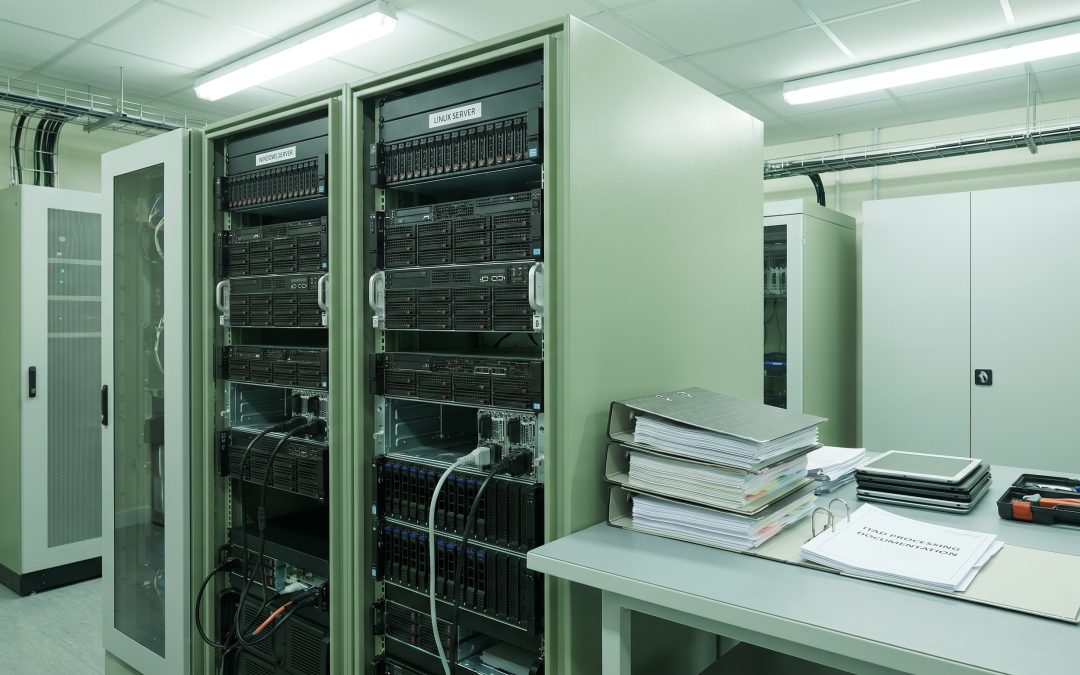
Most ITAD guidance assumes a Windows-centric environment, which makes sense given that Windows dominates the corporate desktop market. But organisations running Linux, whether on servers, developer workstations, or embedded systems, face some distinct considerations when it comes to IT asset disposition. Understanding these differences helps ensure your disposal processes account for the specifics of your operating environment rather than applying a one-size-fits-all approach.
Data Destruction Differences
At the hardware level, data destruction is operating system agnostic. Physical shredding, degaussing, and drive-level overwriting work the same regardless of what operating system was installed. Where the differences emerge is in software-based wiping and data identification.
Windows environments typically store user data in predictable locations, the Users directory, AppData folders, registry entries, and so on. Data discovery tools designed for Windows can quickly identify and catalogue data-bearing locations. Linux environments are more varied. Data can reside in home directories, custom mount points, application-specific paths, log files scattered across /var, and configuration files in /etc that may contain credentials or connection strings.
For NIST 800-88 compliant wiping, the method at the disk level is identical. But if your process includes a data identification step before wiping, the tools and approach need to account for Linux filesystem structures, which may use ext4, XFS, Btrfs, or other filesystems that Windows-focused scanning tools do not always handle well.
Licensing and Software Asset Management
One of the biggest practical differences involves software licensing. Windows machines retiring from service often carry OEM licences tied to the hardware, volume licence keys, or Microsoft 365 subscriptions that need to be deactivated or transferred. Failing to properly manage Windows licences during disposition can result in compliance issues or lost value.
Linux environments present a different picture. Most Linux distributions are open source and freely redistributable, which means there are no licence deactivation steps required for the operating system itself. However, enterprise Linux subscriptions from Red Hat, SUSE, or Canonical (Ubuntu Pro) do need to be cancelled or reassigned. Additionally, commercial software running on Linux, such as database engines, monitoring tools, or middleware, may carry its own licensing obligations that need to be addressed before disposition.
Server Decommissioning
Linux dominates the server market, particularly for web servers, database servers, and container infrastructure. Decommissioning Linux servers involves several considerations that differ from Windows server retirement.
Linux servers often run services that other systems depend on. A thorough decommission process should include identifying all services running on the server, mapping dependencies to ensure nothing breaks when the server goes offline, documenting custom configurations that may be needed for migration or reference, revoking SSH keys and other authentication credentials, removing the server from configuration management systems like Ansible, Puppet, or Chef, and updating DNS records and load balancer configurations.
From an ITAD perspective, the important point is that Linux servers may contain sensitive data in less obvious locations than Windows servers. Database dumps, application logs, backup files, and credential stores can exist in custom paths that are not immediately apparent to someone unfamiliar with the specific deployment.
Embedded Linux Systems
An often overlooked category is embedded Linux devices, including network equipment, IoT devices, digital signage, point-of-sale terminals, and industrial control systems. These devices may not look like traditional computers, but they often run Linux variants and can contain sensitive data including network configurations, credentials, customer transaction data, and proprietary firmware.
Standard ITAD processes may not adequately address embedded devices because the storage media may not be a standard removable hard drive or SSD. In some cases, data is stored on flash chips soldered to the board, requiring either physical destruction of the entire unit or specialised data clearing procedures.
Resale Value Differences
The secondary market for Windows and Linux equipment differs in important ways. Windows laptops and desktops generally have stronger resale value in the consumer and SMB markets because Windows is what most end users expect. Enterprise servers running Linux can also command good resale prices, particularly for well-known brands and recent models, because the open-source operating system means the buyer does not need to acquire additional licences.
Interestingly, some enterprise equipment that originally ran Linux may be remarketed with a fresh Windows installation (or vice versa) to maximise resale value, depending on the target market. Your ITAD provider should be able to advise on which approach yields the best return for specific hardware models.
Developer Workstations
Developer machines, whether running Linux natively or as dual-boot setups, deserve special attention during ITAD. These workstations frequently contain source code and intellectual property, API keys and access tokens stored in configuration files, SSH private keys for production systems, database credentials and connection strings, and local copies of production data used for testing.
A standard wipe-and-reimage process handles this at the drive level, but organisations should also ensure that any access credentials stored on the machine have been revoked before or during the disposition process. The drive wipe destroys the local copy, but if the credentials are still valid, the security risk persists through other potential access points.
Building OS-Aware ITAD Processes
The most effective approach is to ensure your ITAD processes account for your actual technology environment rather than assuming everything is a Windows laptop. This means maintaining an accurate asset register that records operating systems, training your IT team on decommissioning procedures for each OS type, ensuring your ITAD provider has experience with Linux systems, including embedded devices and non-standard storage in your disposition scope, and verifying that data discovery and wiping tools support the filesystems in your environment.
For organisations building or refining their disposal policies, incorporating OS-specific procedures ensures nothing falls through the cracks. See our guide on building an IT asset disposal policy for a framework that can accommodate different technology environments.
]]>