
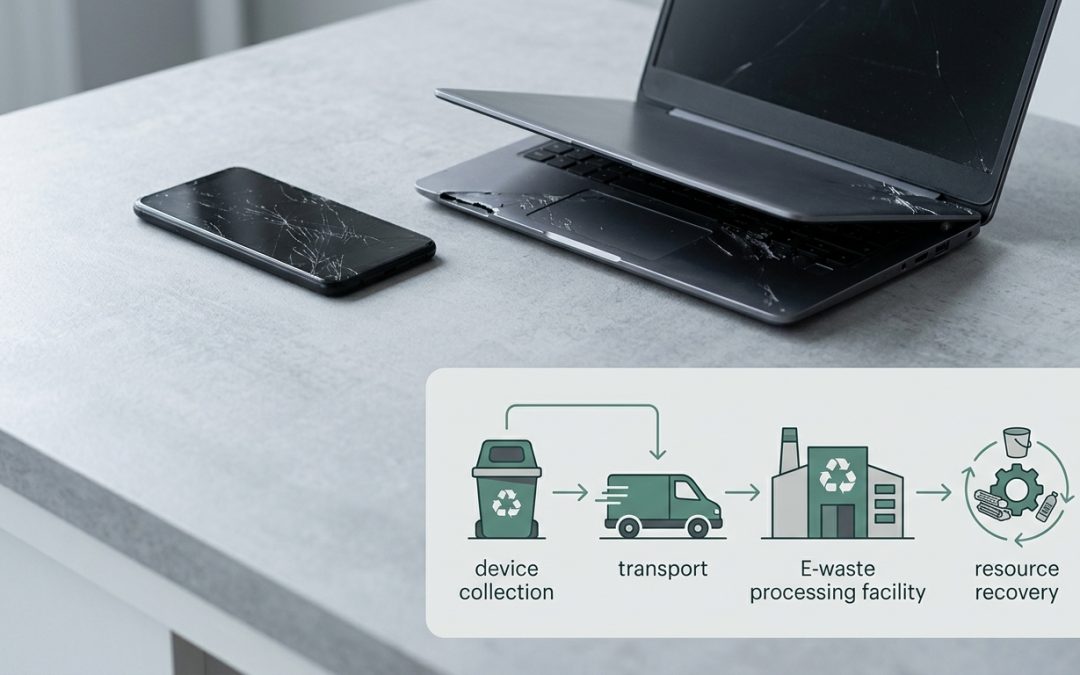
Broken Doesn’t Mean Worthless
That laptop with the cracked screen, the phone that won’t charge, the printer that jams on every page. When electronics break, the first instinct is often to stuff them in a drawer and forget about them, or worse, toss them in the bin. But broken electronics still contain valuable materials, hazardous components, and potentially recoverable data. How you handle them matters.
In Victoria, broken electronics are subject to the same e-waste landfill ban as working ones. They can’t go in any council bin, regardless of how damaged they are. But beyond legal compliance, there are practical reasons to handle broken devices thoughtfully.
Step 1: Assess Whether It’s Really Broken
Before writing off a device, consider whether the problem is actually fixable. Many “broken” electronics have simple issues that a repair could resolve:
Dead batteries are the most common reason devices stop working. A laptop that won’t power without being plugged in, a phone that dies within an hour, or a tablet that won’t turn on at all may just need a battery replacement. For many devices, this is a $50-200 repair that adds years of useful life.
Cracked screens look dramatic but are often the only thing wrong with the device. Screen replacement is one of the most common electronic repairs, available for most phone and laptop models through both manufacturer service and independent repairers.
Software issues can make a device seem dead when the hardware is fine. A computer stuck in a boot loop, a phone that freezes, or a tablet that won’t update may be fixable with a software reset or reinstallation.
Charging port problems are common and often caused by lint or debris in the port rather than actual hardware failure. A careful clean with a toothpick or compressed air resolves many charging issues.
Step 2: Handle Data Before Disposal
Even broken devices may contain recoverable personal or business data. How you handle the data depends on the device’s condition:
If the device still powers on, even partially, perform a data wipe before disposal. For phones, a factory reset on an encrypted device is generally sufficient. For computers, use the built-in reset function or a dedicated data sanitisation tool.
If the device won’t power on but the storage drive is accessible, you may be able to remove the hard drive or SSD and either wipe it in another computer or physically destroy it. For laptops, the storage drive is usually accessible by removing a panel or the bottom cover.
If the device won’t power on and you can’t access the storage, inform the recycler that the device contains unwiped data. Reputable recyclers have processes for handling data-bearing devices, including physical destruction of storage media when software wiping isn’t possible.
For business devices, data security should be treated as non-negotiable regardless of the device’s condition. A broken laptop is still a data security risk if it contains customer records, financial data, or proprietary information.
Step 3: Check for Resale or Parts Value
Even broken devices can have value. Repair shops and refurbishers often buy broken electronics for their parts:
Phones with cracked screens are commonly purchased by repair shops that replace the screen and resell the device. A broken phone may fetch $50-200 depending on the model and type of damage.
Laptops with specific failures (dead battery, broken keyboard, faulty screen) still have valuable components. The motherboard, RAM, SSD, and other parts may be salvageable. Some refurbishers buy broken business laptops specifically for parts harvesting.
Printers with mechanical issues may have value if the toner cartridges or ink cartridges are still usable. Remove usable cartridges and either use them in a replacement printer or sell them separately.
Step 4: Recycle Responsibly
If the device is genuinely beyond repair and has no resale value, responsible recycling is the right destination. Your options are the same as for any other e-waste:
Council transfer stations and resource recovery centres accept broken electronics alongside working ones. The condition doesn’t matter for recycling purposes, as the device will be disassembled for materials regardless.
Council hard waste collections accept broken electronics as part of their standard program.
Dedicated e-waste recyclers handle all conditions of equipment and may offer pickup services for larger volumes.
Special Cases
Devices with swollen or damaged batteries. Lithium-ion batteries that are swollen, leaking, or physically damaged require extra care. Don’t put these in any bin or leave them in hot environments. Transport them to a recycling point in a non-flammable container, and alert staff to the battery condition. Some councils offer specific battery hazard collection options.
Water-damaged devices. Electronics that have been submerged or significantly water-damaged should be dried as much as possible before transport but otherwise handled the same as any other broken electronics. Don’t try to power on a water-damaged device as this can cause short circuits.
Fire-damaged devices. Electronics damaged by fire may have melted components and should be handled carefully. Burnt plastics and electronics can release toxic residues. Place in a sealed bag for transport to a recycling facility.
Very old devices. Vintage electronics like old CRT monitors, dot-matrix printers, or pre-2000 computers may contain higher levels of hazardous materials than modern equipment. They should absolutely go to proper recycling rather than general waste.
What Not to Do
Don’t put broken electronics in any bin. The e-waste ban applies regardless of condition. Broken items are still e-waste.
Don’t attempt to disassemble devices yourself unless you know what you’re doing. CRT monitors contain high-voltage capacitors that retain charge. Lithium batteries can catch fire if punctured. Even seemingly harmless devices can contain surprises.
Don’t stockpile indefinitely. The longer broken electronics sit around, the more likely batteries degrade, materials corrode, and the devices become harder to handle. Deal with them promptly rather than adding them to the growing pile in the garage.
Broken electronics are still electronics, and they deserve the same responsible handling as working devices. Whether that means repairing them, selling them for parts, or sending them to proper recycling, there’s always a better option than the bin.
EWV helps Victorian businesses manage e-waste and IT asset disposal compliantly and sustainably — including collection, certified data destruction, and recycling. Contact us for a free quote.