
Dealing with Electronics When Managing a Deceased Estate
Managing a deceased estate is one of the most emotionally and practically challenging tasks anyone can face. Among the many responsibilities, dealing with the deceased person’s electronics often falls low on the priority list. But modern households contain significant amounts of electronic equipment, and handling it properly requires attention to data security, legal obligations, and environmental responsibility.
This guide covers the practical steps for managing electronics as part of a deceased estate, from securing data-bearing devices to disposing of everything responsibly.
Securing Data-Bearing Devices Immediately
The first priority with any deceased person’s electronics is securing devices that contain personal data. This should happen as soon as practical after the death, ideally before the property is cleared or accessed by multiple people.
Gather all phones, tablets, laptops, desktop computers, external hard drives, USB drives, and any other storage devices. Store them securely until you’re ready to deal with them properly. These devices may contain financial information needed for estate administration, personal correspondence that family members may want, passwords and account credentials for online services, sensitive personal data that needs to be protected, and digital assets that may have monetary value.
Don’t attempt to access locked devices immediately unless you know the password. Many devices will lock permanently after too many failed attempts. If you need access and don’t have the password, there are legitimate processes for gaining access as an executor, which vary by device manufacturer and operating system.
- Smartphones and tablets (contain accounts, banking apps, personal data)
- Laptops and desktop computers (documents, financial records, passwords)
- External hard drives and USB sticks (may contain important files)
- Smart home hubs and routers (network access, linked accounts)
- Digital cameras and storage cards (irreplaceable photos)
Accessing Devices as an Executor
As the executor or administrator of an estate, you have legal authority to access the deceased’s digital assets, but the process varies by platform and device manufacturer.
Apple devices: Apple offers a Digital Legacy program. If the deceased set up a Legacy Contact, that person can request access. Otherwise, executors can apply to Apple with a death certificate and proof of appointment as executor. The process can take several weeks.
Google/Android: Google’s Inactive Account Manager lets users designate people to access their account after inactivity. Without this, executors can request access by submitting a death certificate and proof of executor status to Google.
Microsoft: Similar process for accessing Outlook, OneDrive, and other Microsoft services. Executors submit a request with legal documentation.
For financial accounts accessed through devices (banking apps, investment platforms, superannuation portals), contact each institution directly with the death certificate and grant of probate or letters of administration. Most financial institutions have dedicated deceased estate teams.
Deciding What to Keep, Donate, Sell, and Recycle
Once data is secured and any necessary information has been extracted, the physical electronics need to be sorted. The volume can be substantial, particularly for older individuals who may have accumulated decades of equipment.
Items to keep for family: Personal photos and videos (on cameras, memory cards, and hard drives) are often the most emotionally valuable items. Copy these to a shared drive or cloud service before wiping the original devices. Some family members may want specific devices for sentimental reasons.
Items with resale value: Recent smartphones, tablets, laptops, gaming consoles, and quality audio equipment can be sold to benefit the estate. Wipe all data before selling. Include chargers and accessories to maximise value.
Items suitable for donation: Working electronics that aren’t worth selling individually can be donated to charities. Laptops and tablets in working condition are particularly valued by organisations that refurbish equipment for community use.
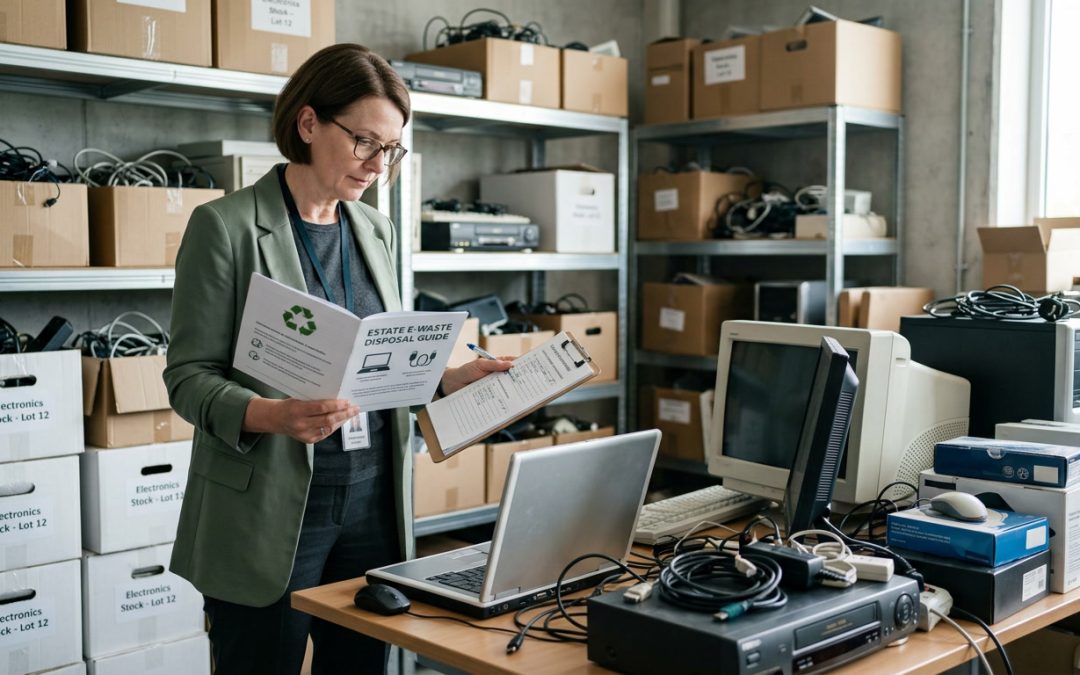
Items for recycling: Old, broken, or obsolete electronics go to e-waste recycling. This typically includes the bulk of the equipment in an older person’s home: old CRT televisions, non-functional appliances, outdated computers, and boxes of tangled cables.
Common Electronics Found in Deceased Estates
Older households often contain electronics spanning several decades of technology. It’s not unusual to find VCRs, cassette players, CRT televisions, fax machines, answering machines, analogue cameras, and equipment that hasn’t been manufactured in years. All of this is e-waste and should be recycled properly.
Check all drawers, cupboards, sheds, and storage areas. Old electronics tend to accumulate in garages, spare rooms, and linen cupboards. Don’t overlook less obvious items like electric blankets, powered mobility aids, medical devices (CPAP machines, blood pressure monitors), hearing aids, and power tool batteries.
Medical devices may require special handling. Some contain personal health data, and others may have specific disposal requirements depending on the type. Contact the supplier or manufacturer for guidance on medical equipment disposal.
Data Destruction Before Disposal
Every device with storage must have its data destroyed before it leaves your possession, whether it’s being sold, donated, or recycled. As executor, you have a duty to protect the deceased’s personal information.
For devices you can access, perform a factory reset on phones and tablets (after signing out of all accounts), use disk-wiping software on computers, format external drives, and remove SIM cards and memory cards from phones.
For devices you can’t access (locked phones, password-protected computers), you have several options. A professional data destruction service can wipe devices regardless of password protection. Physical destruction (shredding) of the storage media guarantees data cannot be recovered. Or you can have an IT professional assist with gaining access through legitimate means.
For more on data destruction methods, see our guide to data destruction.
Online Accounts and Digital Services
Electronics disposal is closely tied to managing the deceased’s online presence. Before wiping devices, make note of all online accounts and services that need to be closed or transferred.
Key accounts to address include email accounts, social media profiles (Facebook has a memorialisation process, other platforms have similar options), subscription services (streaming, software, cloud storage), online banking and financial platforms, utility accounts (many are now paperless), domain names and websites, and cloud storage that may contain important documents or photos.
Cancel recurring subscriptions promptly to avoid ongoing charges to the estate. Many subscriptions auto-renew and will continue billing even after the account holder’s death.
Clearing Large Volumes of E-Waste
Deceased estates often generate significant volumes of e-waste, particularly if the person lived alone for a long time. For large cleanouts, a dedicated e-waste collection service may be more practical than multiple trips to the council tip.
Professional e-waste recycling services can arrange a single collection that handles all electronic items from the property. This is often more cost-effective than multiple council drop-offs and ensures everything is handled through a certified recycling process. Some services also offer data destruction as part of their collection service.
If using a general house clearance or rubbish removal service, confirm how they handle e-waste. Some will separate it for proper recycling, while others may send everything to landfill. Insist on proper e-waste handling, as improper disposal can result in fines and environmental harm.
- Secure all data-bearing devices immediately
- Extract any needed information (financial records, photos, account details)
- Note all online accounts and subscriptions for closure
- Sort electronics into keep, sell, donate, and recycle categories
- Wipe data from all devices before they leave your possession
- Handle medical devices according to manufacturer guidance
- Arrange proper e-waste recycling for all electronic items
- Cancel subscriptions and close online accounts
- Keep records of disposal for estate administration
A Compassionate Approach
Managing a deceased estate’s electronics is ultimately a practical task during an emotional time. Don’t rush it, but don’t leave it indefinitely either. Data security risks increase the longer devices sit unsecured, and estate administration benefits from timely access to digital records.
If the task feels overwhelming, asking a trusted family member, friend, or professional to help with the technical aspects is perfectly reasonable. IT-literate family members can assist with data extraction and wiping. Professional estate administrators handle this regularly and can guide the process. E-waste recycling services can manage the physical disposal.
What matters most is that the deceased’s data is protected, their digital affairs are properly closed, and the electronic equipment is handled responsibly rather than ending up in landfill. For more on responsible disposal practices, see our complete guide to e-waste recycling in Australia.
EWV helps Victorian businesses manage e-waste and IT asset disposal compliantly and sustainably — including collection, certified data destruction, and recycling. Contact us for a free quote.