
Your Definitive Guide to Handling Every Type of Household E-Waste
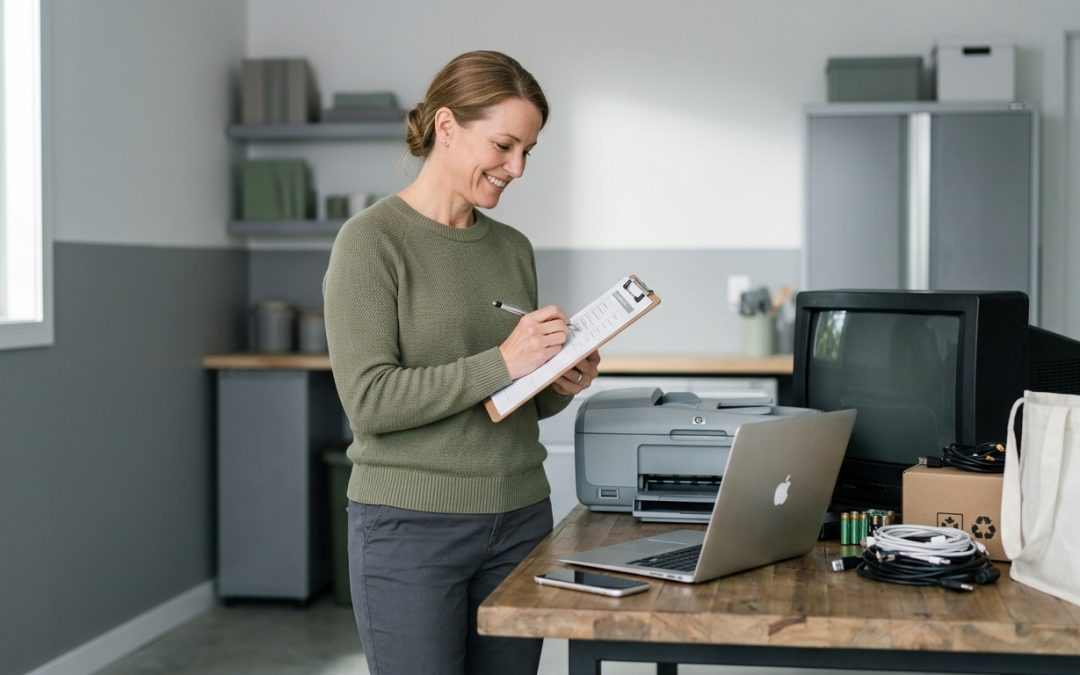
Every Australian home accumulates electronic waste. Phones, laptops, televisions, kitchen appliances, batteries, cables, and gadgets of every description eventually reach end of life and need to go somewhere. This checklist covers everything you need to know to handle household e-waste responsibly, from the smallest battery to the largest appliance.
Bookmark this page and come back to it whenever you need to dispose of an electronic item. It’s designed as a practical reference rather than a one-time read.
Before Anything Leaves Your Home
These steps apply to every electronic device, regardless of whether you’re selling, donating, or recycling it.
Back up your data. Copy any photos, documents, contacts, or other information you want to keep to a separate device or cloud service. Once a device is wiped, the data is gone.
Sign out of all accounts. Log out of email, social media, banking apps, streaming services, cloud storage, and any other accounts on the device. For Apple devices, sign out of your Apple ID. For Android, sign out of your Google account. Deactivate any “Find My Device” features.
Perform a factory reset. This removes your personal data from the device. For phones and tablets, use the built-in reset function in settings. For computers, use dedicated disk-wiping software for thorough erasure. A simple format is not sufficient for computers with sensitive data.
Remove SIM cards and memory cards. These small cards are easy to forget and contain personal data. Remove them and either keep them, destroy them, or reuse them in your new device.
- Back up anything you want to keep
- Sign out of all accounts
- Disable device tracking (Find My iPhone, Find My Device)
- Factory reset the device
- Remove SIM cards and memory cards
- Remove any cases, accessories, or personal items
Smartphones and Tablets
Working devices: Sell on Facebook Marketplace, Gumtree, or eBay. Trade-in programs at major retailers and carriers also offer value. Donate to charities that refurbish devices for community use.
Broken or obsolete devices: Recycle through MobileMuster (free postal recycling for phones), council e-waste drop-off points, or retailer take-back programs. Most mobile phone retailers accept old phones for recycling at the counter.
For detailed guidance on data wiping for phones, see our data destruction guide.
Laptops and Desktop Computers
Working devices: Sell online or donate to organisations that refurbish computers for schools and community groups. Even older machines have value if they function. Consider upgrading (SSD, RAM) before selling to increase value.
Broken or obsolete devices: Take to council e-waste collection points. If the hard drive contains sensitive data and the device won’t power on, remove the hard drive and have it physically destroyed separately, then recycle the rest of the machine.
Special note: Desktop computers often contain multiple storage devices. Check for both the primary drive and any secondary drives before disposing.
Monitors and Televisions
Working flat-screen monitors and TVs: Sell or donate. Working screens have reasonable resale value.
Broken flat screens: Council e-waste drop-off. These contain LED backlighting and electronic components that need proper recycling.
Old CRT monitors and TVs: Council e-waste drop-off or specialist recycler only. CRTs contain lead in the glass and require careful handling. They’re heavy and bulky, so plan transport accordingly. Never break a CRT screen.
Printers and Scanners
Before disposal: Printers store documents in memory. Perform a factory reset if possible. Remove any paper and ink/toner cartridges.
The printer itself: Council e-waste drop-off. Most printers have very low resale value unless they’re recent and high-end.
Ink and toner cartridges: Return through manufacturer recycling programs (most major brands have them) or through retail collection programs like those at Officeworks. Don’t put cartridges in general recycling or waste.
Kitchen and Household Appliances
Small appliances (toasters, kettles, blenders, etc.): Council e-waste drop-off. Clean out any food residue first. Working appliances can be donated to charity shops.
Large appliances (fridges, dishwashers, ovens): Council hard rubbish collection, retailer take-back when buying a new one, or scrap metal recycler. Fridges and freezers must have refrigerant professionally recovered before processing.
Batteries
This is one of the most important categories to get right. Batteries are a fire hazard in general waste and recycling streams.
Household batteries (AA, AAA, C, D, 9V): B-cycle collection points at Coles, Woolworths, Bunnings, and Officeworks. Both single-use and rechargeable batteries are accepted.
Lithium-ion batteries (from phones, laptops, power tools): Battery recycling points or council e-waste collection. Tape the terminals before transporting. Never put in general waste.
Button cell batteries: B-cycle collection points. These contain mercury or lithium and must not go in general waste.
Car batteries (lead-acid): Auto parts stores, mechanics, and council transfer stations. These have scrap value and most auto shops accept them for free.
Swollen or damaged batteries: Handle with extreme care. Do not charge, puncture, or crush. Take to a battery recycling point as soon as possible. If in doubt, contact your council’s hazardous waste service.
Cables, Chargers, and Accessories
Working cables and chargers: Keep only what you actively use. Donate extras to charity shops, sell in bundles online, or give to friends and family.
Broken or obsolete cables: E-waste recycling. Cables contain copper and other recoverable materials. Council e-waste points accept them.
Old headphones and earbuds: E-waste recycling. Wireless models contain small lithium batteries.
Gaming Equipment
Working consoles and controllers: Strong resale value, especially current and recent generation. Wipe all data and deregister accounts before selling.
Broken or obsolete gaming equipment: Council e-waste drop-off. Remove batteries from wireless controllers.
Smart Home Devices
Smart speakers, video doorbells, cameras, thermostats, smart plugs: Factory reset and deregister from your accounts before selling, donating, or recycling. These devices store Wi-Fi passwords and account credentials.
Check manufacturer-specific reset procedures, as they vary. Some require a specific button sequence, while others are reset through the companion app.
Solar Panels and Inverters
Solar panels: Contact your installer or a specialist solar recycler. Panels contain silicon, glass, aluminium, and small amounts of silver. Specialist recycling programs for solar panels are developing in Australia as early installations reach end of life.
Inverters: Electronic equipment containing circuit boards and sometimes batteries. Handle through e-waste recycling or return to the manufacturer/installer.
Battery storage systems (Tesla Powerwall, etc.): Contact the manufacturer or installer. These are large lithium-ion battery systems that require specialist handling.
Medical and Health Devices
CPAP machines, blood pressure monitors, fitness trackers, hearing aids: Wipe any personal health data. Some manufacturers have take-back programs. Otherwise, e-waste recycling for electronic components and battery recycling for any batteries.
Check with your healthcare provider or the device manufacturer for specific disposal guidance, as some medical devices have particular requirements.
Where to Take Your E-Waste
Council transfer stations and resource recovery centres are the most comprehensive option. Most accept all types of household e-waste at no charge. Check your council’s website for locations and accepted items.
Retailer take-back programs accept specific items: mobile phones at phone retailers, batteries at supermarkets and hardware stores, ink cartridges at office supply stores, and some appliance retailers accept old appliances when delivering new ones.
Dedicated e-waste recyclers are useful for larger volumes or business quantities, and when you need data destruction certificates.
MobileMuster provides free phone recycling by post from anywhere in Australia.
B-cycle provides battery recycling points at major retailers nationwide.
Making It a Habit
The best approach to household e-waste is dealing with it as it arises rather than letting it accumulate. When you replace a device, dispose of the old one that week. Keep a small box for batteries and small e-waste items, and drop it off when it’s full. Schedule an annual tech cleanout to catch anything that slipped through.
Responsible e-waste disposal protects your data, keeps hazardous materials out of the environment, and recovers valuable resources. It takes a small amount of effort compared to the environmental damage caused by improper disposal. For more detail on any specific topic, explore our complete guide to e-waste recycling in Australia.
EWV helps Victorian businesses manage e-waste and IT asset disposal compliantly and sustainably — including collection, certified data destruction, and recycling. Contact us for a free quote.