
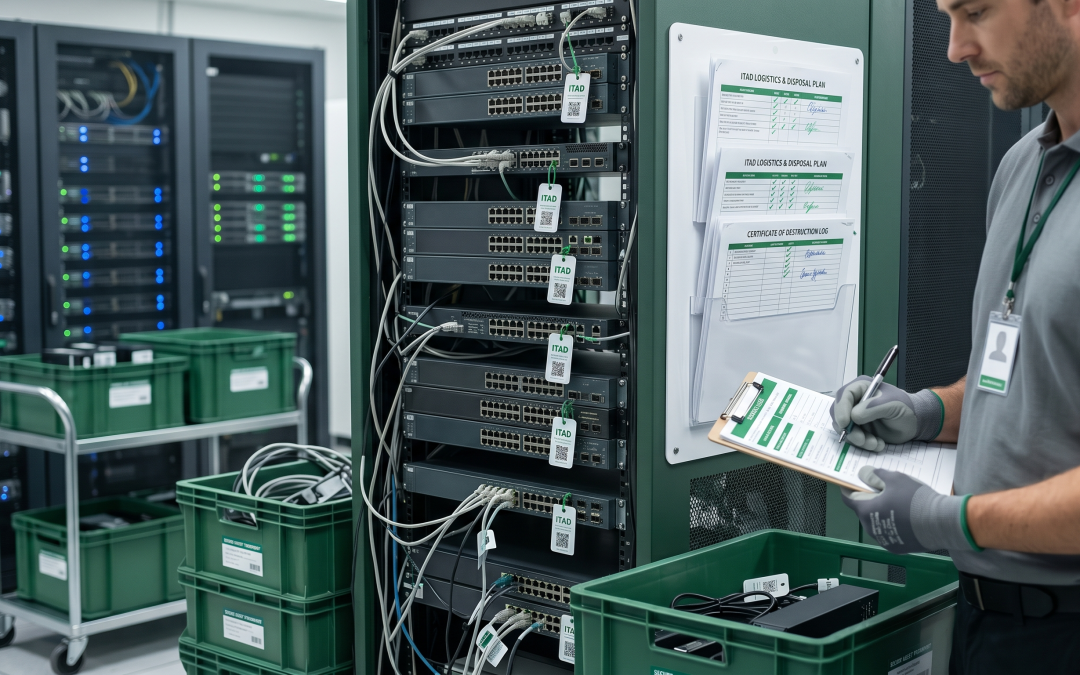
Networking equipment is often the forgotten category in IT disposal. Organisations have well-established processes for retiring laptops and servers but give little thought to switches, routers, firewalls, and wireless access points when they reach end of life. This oversight is risky. Networking equipment stores configuration data, access credentials, and network architecture information that could be extremely valuable to an attacker.
Why Networking Equipment Needs Attention
Network devices are the backbone of your IT infrastructure, and their configurations reveal how your entire environment is structured. A switch configuration shows VLAN segmentation, access control lists, and port security settings. A router holds routing tables, VPN configurations, and WAN connectivity details. A firewall contains your complete security rule set, including which traffic is allowed and which is blocked. Wireless controllers store SSID configurations, authentication settings, and encryption keys.
If this information were obtained from improperly disposed equipment, it would provide a detailed blueprint for attacking your network. Even if you have since changed your network architecture, the configuration of retired equipment can reveal design patterns, naming conventions, and security approaches that may still be relevant to your current environment.
Types of Data on Network Devices
Network equipment stores several categories of sensitive information. Configuration files contain the complete operational setup of the device, including IP addressing, routing protocols, access lists, and security policies. Authentication credentials include local user accounts, SNMP community strings, RADIUS and TACACS+ server details, and API keys. Certificates and keys used for VPN tunnels, SSL/TLS, and device authentication may be stored locally.
Log data on the device may include records of network events, access attempts, and traffic patterns. Firmware and software may include licensed features specific to your organisation. And in some cases, network devices with packet capture capabilities may retain captured traffic data containing sensitive information.
Sanitisation Approaches
Network equipment presents different sanitisation challenges than standard computing devices. Most enterprise network equipment from major manufacturers includes built-in factory reset functions that remove configuration data and return the device to its default state. However, the thoroughness of these reset functions varies between manufacturers and models.
For managed switches and routers, start by removing the configuration from the running and startup configuration stores. Delete any locally stored certificates, keys, and user credentials. Clear log files and any saved diagnostic data. Perform a factory reset using the manufacturer’s documented procedure. Then verify the reset by powering the device back on and confirming it boots to its initial configuration state.
For firewalls and security appliances, the process is similar but with additional attention to security-specific data. Clear VPN tunnel configurations and associated certificates. Remove all firewall rules and security policies. Delete any stored authentication server configurations. And if the device has content inspection capabilities, clear any cached inspection data.
For wireless controllers and access points, remove all SSID configurations and pre-shared keys. Clear RADIUS server configurations and certificates. Delete any stored client device information. And reset to factory defaults.
When Physical Destruction Is Warranted
For network equipment that processed the most sensitive data or operated in classified environments, software-based sanitisation may not provide sufficient assurance. In these cases, physical destruction of the device’s storage media (typically flash memory) is the more appropriate option.
Some enterprise network equipment uses removable storage modules (compact flash cards, SSDs) that can be individually removed and destroyed while the rest of the device is recycled. For devices with soldered flash storage, the entire board may need to be destroyed.
Following appropriate destruction methods for the specific media type ensures irrecoverable removal of all stored data.
Value Recovery from Network Equipment
Enterprise networking equipment can retain significant resale value, particularly equipment from established brands like Cisco, Juniper, Aruba (HPE), and Meraki. The secondary market for network equipment is active, driven by organisations seeking cost-effective alternatives to new hardware and by the long support lifecycles of many enterprise networking platforms.
Core switches, routers, and firewalls from the last two to three product generations typically hold the most value. Access-layer switches and wireless access points have a broader market but generally lower per-unit value. Equipment that has reached the manufacturer’s end-of-support date loses value more quickly, though some buyers specifically seek this equipment for non-critical applications.
Environmental Considerations
Networking equipment contains the same categories of materials as other electronics: circuit boards with precious metals, plastics, steel and aluminium housings, and various copper components. Under Victoria’s e-waste regulations, all of this equipment must be recycled rather than landfilled.
Power supplies within network equipment may contain capacitors or other components requiring specific environmental handling. Larger equipment like core switches and chassis-based systems contain substantial quantities of recoverable metals.
Including Networking in Your ITAD Program
Ensure your ITAD policy explicitly includes networking equipment alongside servers and end-user devices. Add network devices to your asset register with the same diligence as computing equipment. And when planning disposal projects, include networking equipment in your inventory and processing requirements. The data on a firewall or core switch can be just as sensitive as the data on a database server, and it deserves the same level of care during disposal.
EWV helps Victorian businesses manage e-waste and IT asset disposal compliantly and sustainably — including collection, certified data destruction, and recycling. Contact us for a free quote.