
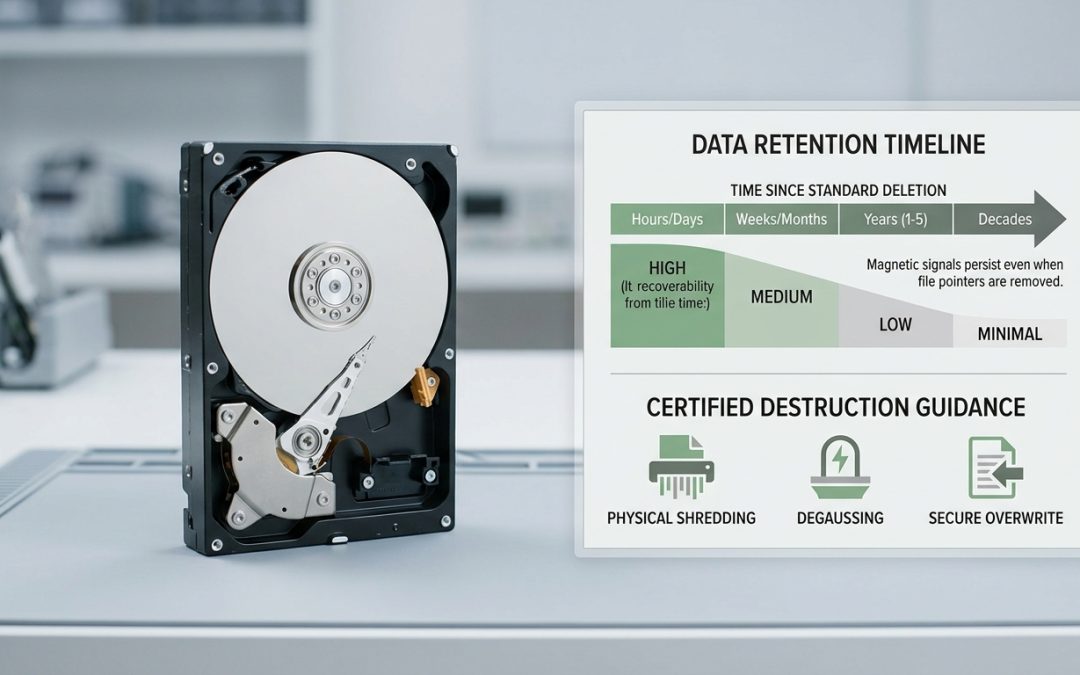
Deleted Doesn’t Mean Gone
When you delete a file from your computer and empty the recycle bin, it feels permanent. The file disappears from view, the storage space shows as available, and you move on. But on the storage drive itself, the data often remains physically intact for a surprisingly long time. Understanding how long data persists after deletion, and what factors affect this, is important for anyone disposing of devices that once held personal or business information.
The answer depends on the type of storage drive, how it was deleted, and what’s happened to the drive since. Let’s break it down by technology.
Traditional Hard Drives (HDDs)
Traditional hard drives store data as magnetic patterns on spinning platters. When you delete a file on an HDD, the operating system simply marks that area of the platter as “available for reuse.” The magnetic patterns representing your actual data remain untouched until new data is written to those exact locations.
On a lightly used HDD, deleted data can persist for years. If the drive has plenty of free space and isn’t being heavily written to, the sectors containing your deleted files may never be overwritten. Studies have shown that data recovery from HDDs that were “deleted” years earlier is often successful, sometimes recovering the vast majority of deleted files.
Even on an actively used drive, data persistence is significant. When new files are written, they’re placed in available sectors, but the operating system doesn’t necessarily use the same sectors that your deleted files occupied. It might take weeks, months, or longer before the specific sectors containing your sensitive data are overwritten by new content, and even then the overwriting is typically incomplete.
Solid State Drives (SSDs)
SSDs behave quite differently from HDDs. They use flash memory cells rather than magnetic platters, and they have a built-in process called TRIM that changes the data retention picture significantly.
When you delete a file on an SSD and the operating system sends a TRIM command (which modern operating systems do automatically), the SSD’s controller is notified that specific data blocks are no longer needed. The controller can then erase those blocks in the background to prepare them for future writes. Once TRIM has processed the deleted blocks, the data is typically unrecoverable, even with forensic tools.
The speed of TRIM processing varies. On most modern SSDs with a reasonably current operating system, TRIM operations complete within minutes to hours of deletion. However, the timing depends on drive firmware, operating system settings, and system load. In some configurations, TRIM may be delayed or disabled entirely.
Without TRIM (older SSDs, some external enclosures, certain operating system configurations), deleted data on SSDs can persist similarly to HDDs, though the SSD’s wear-levelling algorithms make recovery patterns less predictable.
What About Formatting?
Formatting a drive is often assumed to be more thorough than deleting individual files, but the reality depends on the type of format:
Quick format simply recreates the file system table. On an HDD, none of the actual data is touched, and the entire drive’s contents are recoverable. On an SSD, the format may trigger TRIM across the drive, providing better erasure, but this isn’t guaranteed.
Full format on Windows (since Vista) writes zeros to every sector of an HDD, providing effective data erasure for standard purposes. On SSDs, a full format’s behaviour varies by drive and controller. The NIST 800-88 guidelines provide more detail on what constitutes effective erasure for different storage types.
USB Drives and Memory Cards
USB flash drives and SD cards use flash memory similar to SSDs but typically lack TRIM support. This means deleted data persists until overwritten, and the behaviour is similar to an HDD in terms of recoverability. Data deleted from a USB drive or SD card can often be recovered using basic recovery software.
Given their small size and the tendency to pass them between people, USB drives and memory cards are a frequently overlooked data security risk. A USB drive you lend to a colleague or leave at a hotel business centre may contain recoverable files you deleted months ago.
What Affects Recovery Success
Several factors determine whether deleted data can actually be recovered in practice:
Time since deletion matters more for heavily used drives than lightly used ones. A computer used daily will gradually overwrite deleted file sectors as new files are created. A drive sitting in a drawer retains its deleted data indefinitely.
Drive capacity and utilisation. A nearly full drive overwrites deleted data faster because there are fewer available sectors for new writes. A drive with plenty of free space preserves deleted data longer.
File fragmentation. Large files may be stored across non-contiguous sectors. Even if some sectors are overwritten, portions of the file may be recoverable from other sectors. For some file types, partial recovery can still reveal meaningful content.
Encryption. If the drive or files were encrypted before deletion, recovered data is only useful to someone who also has the encryption key. This is why drive-level encryption is recommended as a baseline security measure, it protects data even in recovery scenarios.
What This Means for Device Disposal
The data retention characteristics of storage drives have direct implications for how you should handle devices at end of life:
Simply deleting files is never sufficient before disposing of a device that held sensitive information. For personal devices, a factory reset combined with encryption provides reasonable protection. For business devices, professional data sanitisation tools that follow recognised standards should be used, with certificates of destruction documenting the process.
For drives that can’t be wiped (damaged, non-functional, or from devices that won’t power on), physical destruction is the only option that guarantees data is unrecoverable.
The bottom line: data on storage drives is far more persistent than most people assume. What feels like deletion is often just concealment. For anyone disposing of devices, particularly business equipment that held customer data, financial records, or other sensitive information, understanding this persistence is the first step toward proper data protection at end of life.
EWV helps Victorian businesses manage e-waste and IT asset disposal compliantly and sustainably — including collection, certified data destruction, and recycling. Contact us for a free quote.