
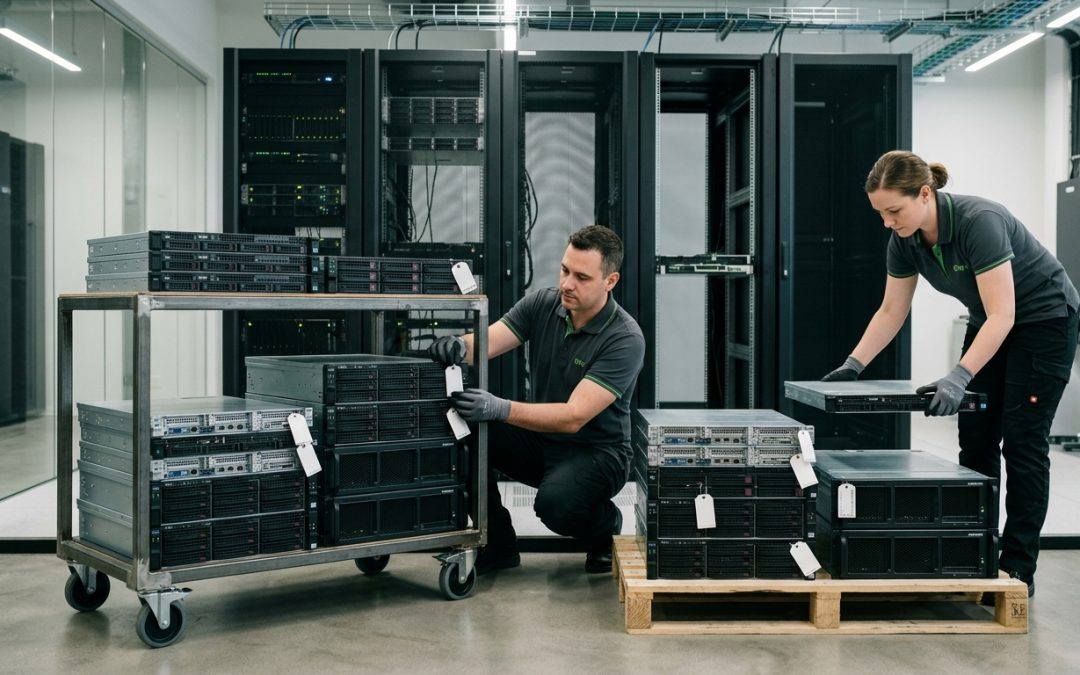
The Unique Challenges of Hyperconverged Infrastructure
Hyperconverged infrastructure (HCI) combines compute, storage, and networking into a single integrated platform. Solutions from vendors like VMware vSAN, Nutanix, Microsoft Azure Stack HCI, and Dell VxRail have become popular for their simplicity, scalability, and efficiency. However, this tight integration creates particular challenges for data destruction that differ significantly from traditional server and storage environments.
When an HCI node reaches end of life or needs to be decommissioned, the interconnected nature of the platform means that data destruction requires coordination across the cluster rather than simply wiping an individual server.
How HCI Distributes Data
In a traditional IT environment, servers and storage are separate. Data lives on a dedicated SAN or NAS, and servers connect to it over a network. When a server is decommissioned, its local drives may contain the operating system but typically not user data.
HCI changes this model. Each node in the cluster contributes its local storage to a shared, distributed storage pool. Data is automatically replicated across multiple nodes for redundancy, with the HCI software managing data placement, replication, and rebalancing. A single file or virtual machine disk may have its data blocks spread across three or more nodes in the cluster.
This distributed data model means that decommissioning a single HCI node does not simply involve that node’s data. The node’s drives contain fragments of data from across the entire cluster’s workloads, and other nodes in the cluster contain copies of data that originated on the departing node.
Decommissioning a Single Node
When removing a node from an HCI cluster while the rest of the cluster continues operating, the HCI software must first evacuate data from the departing node. This process, known as a graceful removal or maintenance mode evacuation, migrates all data replicas from the departing node to remaining nodes in the cluster.
Once the evacuation is complete, the departing node’s drives contain data that the cluster no longer considers active. However, the physical storage still holds remnants of the data that was previously stored there. The HCI software does not perform a secure erase of the evacuated data, as it simply marks the space as available.
After removal from the cluster, the node’s drives should be sanitised individually using NIST 800-88 compliant methods, just as with any other server. The drives should be removed from the node and wiped outside the HCI environment to ensure access to all sectors without the HCI software’s abstraction layer.
Decommissioning an Entire Cluster
When an entire HCI cluster is being decommissioned, every node must be treated as containing a complete copy of the cluster’s data (due to replication). Each node’s drives need to be sanitised or destroyed, and the sanitisation must be comprehensive enough to address the distributed nature of the data.
Before beginning physical disposal, ensure that all required data has been migrated to the replacement system and verified. Confirm that backup copies are available for data that must be retained. Shut down all virtual machines and workloads on the cluster. Document the cluster configuration, including the number of nodes, drives per node, and RAID or erasure coding settings.
Then proceed with drive-level sanitisation of every drive in every node, following the same principles as any server decommissioning.
Cache and Metadata Drives
HCI platforms typically use a tiered storage architecture. Fast drives (NVMe SSDs) serve as a cache or performance tier, while larger drives (SATA SSDs or HDDs) provide capacity storage. Both tiers contain user data, and both must be sanitised during disposal.
Cache drives are particularly important because they hold the most recently accessed data, which may include sensitive information from currently active workloads. Additionally, HCI platforms store metadata on specific drives or partitions that contain information about the cluster’s data layout, virtual machine configurations, and storage policies. This metadata should be cleared as part of the disposal process.
Some HCI platforms use dedicated boot devices (USB flash, M.2 SSDs, or SD cards) for the hypervisor operating system. These devices contain the HCI software configuration, including cluster credentials, network settings, and potentially cached data. They must be included in the inventory and sanitised or destroyed.
Encryption in HCI Environments
Many HCI platforms support data-at-rest encryption, either through the HCI software itself or through self-encrypting drives. If encryption is enabled, cryptographic erasure (destroying the encryption keys) provides an efficient sanitisation method for the distributed data.
When using software-level encryption in the HCI platform, the encryption key management system must be addressed during decommissioning. Keys stored in an external Key Management Server (KMS) must be destroyed along with the cluster. Keys stored locally on the cluster nodes are destroyed when the nodes are sanitised.
If encryption was not enabled during the cluster’s operation, cryptographic erasure is not available, and traditional sanitisation methods must be used for all drives.
Vendor-Specific Considerations
VMware vSAN: VMware provides documentation on host decommissioning procedures, including data evacuation modes. vSAN encrypted datastores use per-host encryption keys that can be destroyed through the vSphere management interface.
Nutanix: Nutanix AOS supports software encryption with keys managed through the Prism management console or an external KMS. Node removal procedures are documented in the Nutanix AHV Administration Guide.
Azure Stack HCI: Microsoft provides guidance on cluster decommissioning that includes steps for removing storage pools and clearing BitLocker encryption.
Follow the vendor’s documented procedures for node removal and cluster decommissioning before proceeding with physical drive sanitisation.
Hyperconverged infrastructure simplifies IT operations, but it adds complexity to data destruction. Understanding how your HCI platform distributes and replicates data is the foundation for planning effective disposal when the time comes.
EWV provides NIST 800-88 certified data destruction for Victorian businesses, covering software-based erasure and physical destruction with full chain-of-custody documentation. Request a quote to discuss your requirements.