
Why Mobile Devices Need Special Attention at End of Life
Smartphones, tablets, and other mobile devices store an extraordinary amount of sensitive data. Emails, contacts, photos, authentication tokens, saved passwords, location history, health data, and corporate applications all reside on these devices. When mobile devices reach end of life, proper sanitisation is essential to protect both personal and organisational data.
Mobile device sanitisation presents unique challenges compared to traditional hard drive wiping. The combination of flash-based storage, hardware encryption, and tightly integrated operating systems means that different techniques and considerations apply.
Understanding Mobile Storage Architecture
Modern smartphones and tablets use embedded flash storage (eMMC or UFS) that is soldered directly to the device’s mainboard. Unlike a laptop where you can remove and separately destroy a hard drive or SSD, mobile storage is physically integrated with the device itself. This means the entire device must be treated as a data-bearing asset during disposal.
Both iOS and Android devices use hardware-level encryption by default on current models. On iOS devices, the encryption is tied to the device’s Secure Enclave processor. On Android devices, encryption is typically managed through the Trusted Execution Environment (TEE) or a dedicated security chip. This hardware encryption plays a key role in the sanitisation process.
Factory Reset: Is It Enough?
The built-in factory reset function is the primary sanitisation tool available on mobile devices. On modern devices with hardware encryption enabled, a factory reset works by destroying the encryption keys rather than overwriting all stored data. Without the encryption keys, the data remaining on the flash storage is cryptographically inaccessible.
For modern iOS devices (iPhone 6 and later) and modern Android devices with file-based encryption, factory reset is generally considered effective for most commercial data sensitivity levels. The combination of hardware encryption and key destruction provides a level of assurance equivalent to NIST 800-88 Purge-level sanitisation.
However, factory reset may not be sufficient in all cases. Older devices without hardware encryption, devices where encryption was disabled or not properly configured, and devices containing highly classified data may require additional measures.
iOS Device Sanitisation
Apple’s iOS devices benefit from a particularly robust encryption architecture. The “Erase All Content and Settings” function destroys the encryption keys stored in the Secure Enclave, rendering all user data cryptographically inaccessible. The process is fast because it only needs to destroy the keys, not overwrite all storage.
Before performing the erase, ensure the device has been signed out of iCloud and Find My iPhone has been disabled. If the device remains linked to an Apple ID, it will be Activation Locked after the erase, which prevents it from being set up by a new user without the original Apple ID credentials.
For enterprise environments, Mobile Device Management (MDM) platforms can perform remote wipes that accomplish the same result. This is particularly useful when devices are being collected in bulk for disposal.
Android Device Sanitisation
Android sanitisation is slightly more complex due to the diversity of manufacturers and Android versions in use. Modern Android devices (version 10 and above) with file-based encryption enabled provide strong sanitisation through the factory reset process.
Before performing the reset, sign out of all Google accounts on the device to avoid Factory Reset Protection (FRP) locking the device to your account. Remove any external storage cards (microSD) and SIM cards. If the device supports eSIM, delete the eSIM profile.
For older Android devices (pre-Android 6) that may not have encryption enabled by default, consider enabling encryption manually before performing the factory reset. This ensures that even if data remnants survive the reset, they are encrypted and unreadable.
Enterprise Mobile Device Management
Organisations that manage fleets of mobile devices through MDM platforms have additional tools available for sanitisation. Most MDM solutions support remote wipe commands that can sanitise devices without physical access. This is valuable for devices that are lost, stolen, or being collected from remote employees.
MDM platforms can also verify that encryption was active on the device before disposal, confirm that the wipe completed successfully, generate audit logs of the sanitisation process, and enforce policies that prevent devices from being decommissioned without proper sanitisation.
Using MDM for sanitisation provides better documentation and compliance evidence than manual factory resets performed by individual users.
Physical Destruction of Mobile Devices
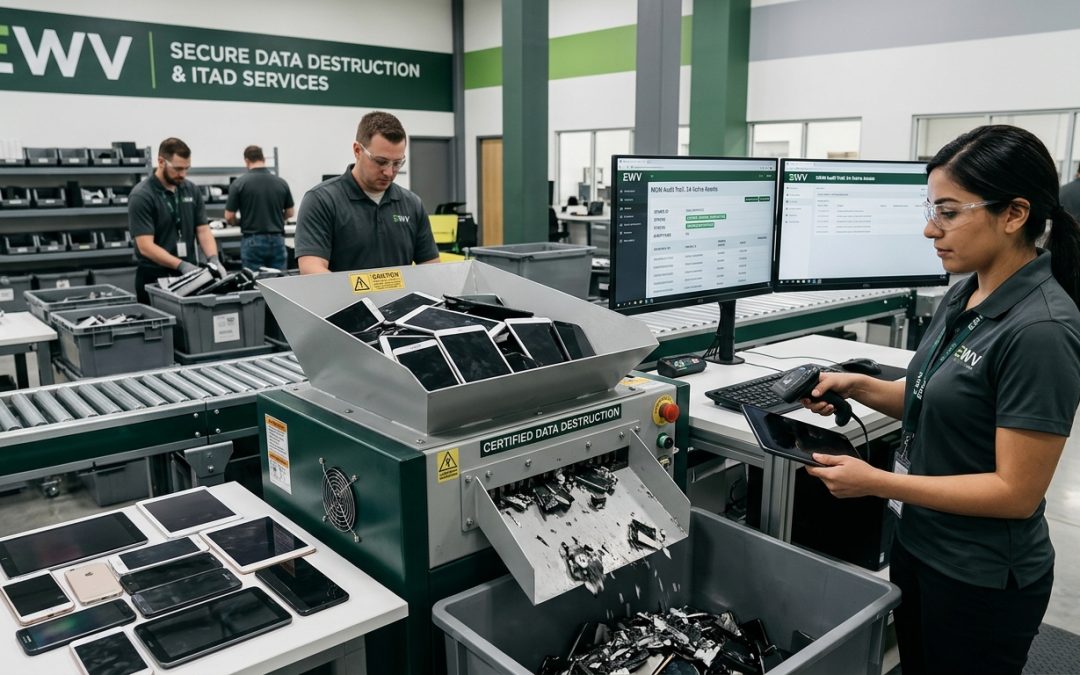
For devices containing highly sensitive data, or for devices that are damaged and cannot be powered on for a software-based wipe, physical destruction is the appropriate method. Mobile device shredders reduce the entire device, including the embedded storage chips, to small fragments.
Because mobile storage is soldered to the mainboard, there is no option to remove and separately destroy just the storage component. The entire device must be shredded. This makes physical destruction more wasteful than software sanitisation, as potentially reusable components (screens, cameras, batteries) are also destroyed.
Battery safety is a critical consideration during physical destruction. Lithium-ion batteries can catch fire or explode if punctured. Destruction facilities must have appropriate fire suppression and handling procedures for mobile device destruction.
Common Mistakes to Avoid
Several common mistakes undermine mobile device sanitisation. Simply deleting apps and files does not sanitise the device, as the underlying data remains on the flash storage. Performing a factory reset while the device is still signed into cloud accounts can trigger account locks that prevent reuse. Forgetting to remove SIM cards and external storage cards leaves those media unsanitised. Assuming that a cracked screen means the data is inaccessible is incorrect, as the storage remains fully readable even if the screen is damaged.
Mobile devices are among the most data-rich assets in any organisation. Proper sanitisation at end of life is not just good practice, it is essential for protecting sensitive information and meeting compliance obligations.
EWV helps Victorian businesses manage e-waste and IT asset disposal compliantly and sustainably — including collection, certified data destruction, and recycling. Contact us for a free quote.