
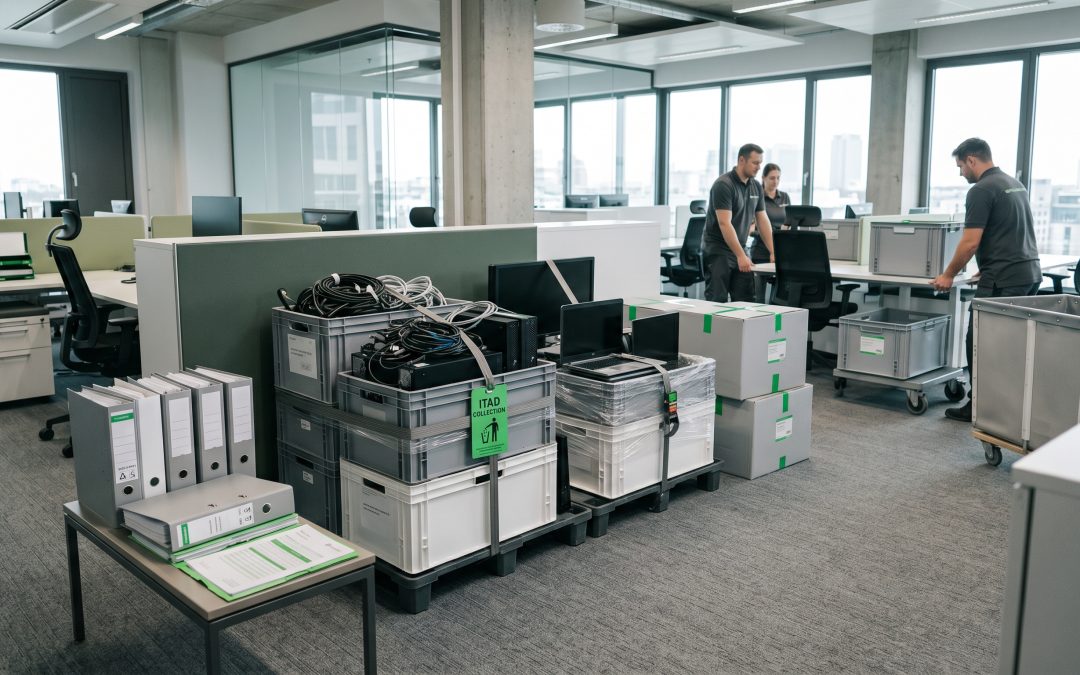
Why Office Relocations Create Data Security Vulnerabilities
An office relocation is one of the most chaotic periods in any organisation’s life. Between coordinating removalists, setting up the new space, managing lease obligations, and keeping the business running through the transition, IT equipment disposal often falls to the bottom of the priority list. This is precisely when data security risks are at their highest.
During a move, equipment decisions are made quickly. Older computers, printers, servers, and networking gear that will not be making the journey to the new location need to be dealt with, often under tight timelines dictated by lease expiry dates. The pressure to clear the old premises can lead to hasty decisions about equipment that still contains sensitive business data.
Common Mistakes During Office Relocations
The most frequent error is leaving equipment behind for the landlord or building management to deal with. When a business vacates a premises and leaves old IT equipment in the space, it loses all control over what happens to that equipment and the data it contains. Building managers may discard it, pass it to recyclers, or leave it for the next tenant, none of which involves any data destruction.
Using general removalists or waste disposal contractors to handle IT equipment is another common mistake. These contractors are focused on clearing the space efficiently, not on data security. Equipment may be loaded onto trucks alongside office furniture and sent to auction houses, second-hand dealers, or tip facilities without any consideration of the data stored on it.
Rushed donation of equipment to schools, charities, or staff members is well-intentioned but risky when done without proper data wiping. The desire to avoid waste and do something positive with old equipment can override the critical step of ensuring all data has been securely removed first.
Forgetting about less obvious data-bearing devices is also common during relocations. Multifunction printers with internal hard drives, security camera systems, access control panels, and even digital phone systems may store sensitive information and are easily overlooked when the focus is on computers and servers.
Planning IT Equipment Handling Before the Move
Data security during a relocation starts with planning well before moving day. As soon as a relocation is confirmed, an inventory of all IT equipment should be compiled, categorising each item as either moving to the new location, being disposed of, or being placed in storage.
For equipment marked for disposal, a data destruction plan should be developed and executed before the moving process begins. Ideally, all data destruction should be completed while equipment is still in the secure environment of the current office, rather than during the disruptive transition period.
The timeline for IT equipment disposal should be built into the relocation project plan alongside other milestones like the new fit-out, telecommunications setup, and staff transition. Treating data destruction as a project milestone rather than a last-minute task ensures it receives appropriate attention and resources.
Categorising Equipment for a Secure Relocation
Every piece of IT equipment in the current office should be assigned to one of several categories. Equipment moving to the new location should be handled by staff or contractors who understand that these devices contain live business data and must be transported securely. Chain of custody should be maintained, with equipment tracked from pickup at the old location to delivery at the new one.
Equipment being retired should undergo NIST 800-88 compliant data destruction before leaving the premises. Whether this is done in-house or by a professional service provider, the process should be completed and documented before the equipment is released for recycling, donation, or disposal.
Equipment being placed in temporary storage presents a particular risk. Devices in storage are often forgotten, and storage facilities may not provide the same level of security as an office environment. If equipment must be stored, it should be wiped before going into storage rather than after, eliminating the risk of data exposure during the storage period.
Leased equipment being returned to the lessor must be wiped before return. The lease agreement may or may not address data destruction, but regardless of contractual requirements, the business remains responsible for any personal data on returned equipment under the Australian Privacy Act.
Server Room and Network Infrastructure
The server room or communications closet requires special attention during a relocation. Servers, network switches, firewalls, and storage arrays may contain configuration data, cached credentials, log files, and in many cases, copies of business data. Even networking equipment that appears to be a simple router may store VPN configurations, Wi-Fi passwords, and access control lists.
If the organisation is migrating to new infrastructure at the new location rather than moving existing equipment, every piece of server room hardware needs to go through data destruction. Storage arrays should have every drive sanitised. Servers should be wiped, with particular attention to any RAID configurations that span multiple drives.
Backup media is easily forgotten during relocations. Tape backups, external drives used for backup rotations, and offline copies of critical data should be identified, inventoried, and either securely transported to the new location or destroyed if no longer needed.
Working with Professional ITAD Providers
Engaging a certified IT asset disposition provider before a relocation simplifies the entire process. A good ITAD partner can handle the inventory, data destruction, and environmentally responsible disposal or recycling of all equipment that will not be making the move.
For larger relocations, the ITAD provider can work on-site at the current office, performing data destruction in a secure area before equipment is removed from the premises. This approach maintains chain of custody and eliminates the risk associated with transporting data-laden equipment to an offsite facility.
The ITAD provider should supply certificates of destruction for every device processed, creating an audit trail that demonstrates compliance with data protection obligations. These certificates should be filed as part of the relocation project documentation.
Post-Move Verification
After the relocation is complete, a final check of the old premises should confirm that no IT equipment or storage media has been left behind. This walkthrough should cover all areas, not just the obvious ones. Check server rooms, under-desk areas, storage cupboards, reception counters, meeting rooms, and any secure areas where equipment may have been kept.
At the new location, verify that all equipment that was supposed to make the move has arrived and is accounted for. Any discrepancies should be investigated immediately, as a missing device during a relocation could indicate theft rather than simple misplacement.
An office relocation, handled properly, is an excellent opportunity to refresh IT infrastructure, clear out accumulated equipment, and establish clean data management practices for the new premises. The key is treating data security as an integral part of the relocation plan rather than an afterthought that gets squeezed into the final days of the move.
EWV helps Victorian businesses manage e-waste and IT asset disposal compliantly and sustainably — including collection, certified data destruction, and recycling. Contact us for a free quote.