
The Data Footprint of Temporary Operations
Pop-up offices, temporary event spaces, trade show booths, and short-term project sites all require IT equipment that is deployed, used intensively for a brief period, and then packed up. During that short window, the equipment accumulates data from registrations, transactions, communications, and operations. When the event ends or the temporary office closes, the equipment returns to storage or is redeployed, but the data it collected during its temporary use often comes along for the ride.
The temporary nature of these deployments creates a false sense that data security is less important. The thinking goes: it was only used for a few days, how much data could there be? In reality, even a single-day event can generate significant volumes of personal and business data across registration systems, payment terminals, presentation laptops, and shared network drives.
Types of Temporary Deployments
Corporate events and conferences use registration tablets, check-in kiosks, presentation laptops, and AV equipment. Registration systems collect attendee names, email addresses, company affiliations, dietary requirements, and sometimes payment information. Presentation laptops may contain confidential business content, unreleased product information, or strategic plans.
Trade shows and exhibitions deploy point-of-sale terminals, lead capture devices, product demonstration equipment, and networking hardware. Lead capture apps on tablets or phones collect prospect contact details and qualification information that represents significant commercial value.
Pop-up retail locations use POS systems, inventory management devices, and customer-facing technology for the duration of their operation. These systems process the same types of customer data as permanent retail locations, including payment card information.
Temporary project offices established for construction projects, disaster response, or short-term business initiatives deploy full IT environments including servers, workstations, printers, and networking equipment. These temporary offices may operate for weeks or months, accumulating substantial data during their operational period.
Film and production sets use IT equipment for scheduling, communication, content storage, and production management. This equipment may contain unreleased creative content, talent contracts, and production schedules with commercial sensitivity.
Common Data Security Gaps in Temporary Operations
Speed of deployment often overrides security considerations. When setting up for an event or temporary office, the priority is getting everything working by the deadline. Security configurations, encryption, and data handling procedures may be sacrificed in the rush to go live.
Shared devices with generic logins are common in temporary deployments. Rather than creating individual user accounts, all staff may use the same login credentials on shared tablets or laptops. This eliminates accountability for data access and makes it impossible to track who accessed what information.
Third-party equipment from rental companies or AV suppliers may be used alongside company-owned devices. Data entered on rental equipment is particularly vulnerable, as the rental company may not perform data destruction when the equipment is returned, and the next renter could potentially access your data.
Pack-down chaos at the end of an event means equipment is hurriedly packed into cases and transported without any data handling procedures. The focus is on accounting for all physical items and meeting venue deadlines, not on ensuring data has been removed from devices.
Pre-Deployment Data Security Measures
Before deploying equipment for temporary use, prepare devices with security measures that reduce data risk throughout the deployment. Enable full disk encryption on all devices. Configure devices to require authentication, even if shared credentials are used for convenience. Set up automatic screen locks with short timeout periods.
For registration and data collection systems, use cloud-based platforms where possible so that data is stored on secured servers rather than locally on the device. If local data storage is necessary, ensure the device is encrypted and that the data collection application stores information in encrypted containers.
For rental equipment, bring your own storage devices (USB drives, external SSDs) rather than storing data on the rental hardware. If data must be stored on rental equipment, plan for data destruction before the equipment is returned.
Post-Event Data Handling
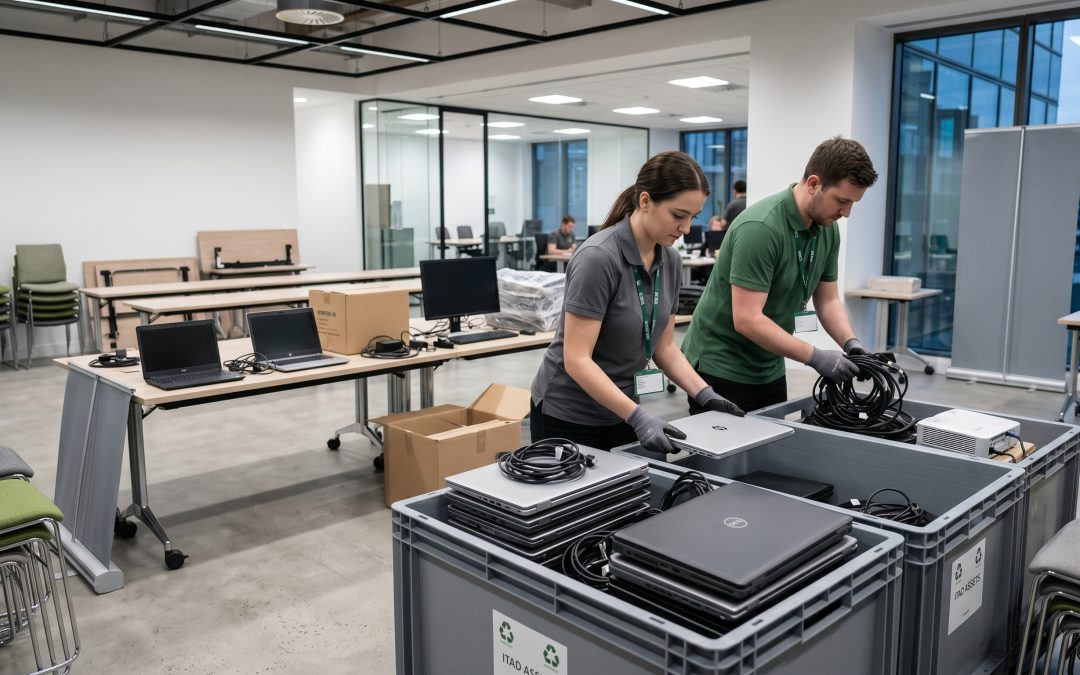
Build a data handling checklist into your event or project pack-down procedures. Before any device is packed away, returned to a rental company, or placed in storage, confirm that all locally stored data has been either migrated to permanent secure storage or destroyed.
For company-owned devices returning to storage, perform a data wipe before the devices are stored. Equipment sitting in storage with event data from months ago is a liability. Wiping devices immediately after each deployment ensures that stored equipment is always clean and ready for the next use.
For rental equipment being returned, delete all data and perform a factory reset at minimum. While a factory reset is not equivalent to proper data sanitisation for disposal purposes, it provides a baseline level of data removal for equipment you do not own and cannot subject to full sanitisation tools.
For POS terminals that processed payment card data, PCI DSS requirements apply. Payment data must be removed from all devices in accordance with PCI standards before the equipment is returned, stored, or redeployed.
Managing Equipment Pools for Recurring Events
Organisations that regularly deploy equipment for events and temporary operations should maintain a dedicated pool of event devices with standardised security configurations. These devices should be reimaged to a clean baseline between deployments, eliminating any data accumulated during the previous use.
A checkout and check-in process for event equipment ensures accountability. When devices are checked out for a deployment, their assignment is logged. When they are checked in, they are verified against the log and queued for data sanitisation before being returned to the pool.
When event equipment eventually reaches end of life, it should undergo full data destruction through the organisation’s standard ITAD process. Even if individual deployments were short, the cumulative data footprint across dozens of events can be substantial.
Treating Temporary Seriously
The temporary nature of pop-up offices and events does not make the data they generate temporary. Personal information collected at an event has the same legal protections as data collected in a permanent office. Payment data processed at a pop-up store carries the same PCI DSS obligations as transactions at a permanent location. Building data security into the planning, execution, and pack-down of every temporary deployment ensures that the convenience of temporary operations does not come at the cost of data protection.
EWV helps Victorian businesses manage e-waste and IT asset disposal compliantly and sustainably — including collection, certified data destruction, and recycling. Contact us for a free quote.