
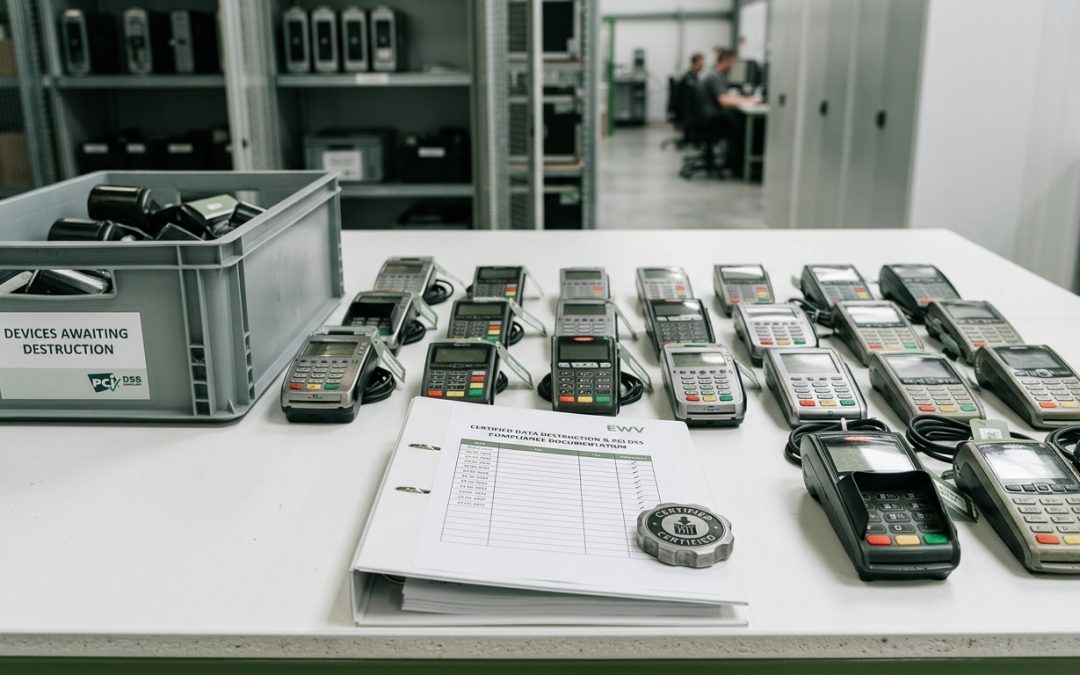
Protecting Payment Data at End of Life
Point-of-sale (POS) systems process some of the most sensitive data in any retail or hospitality business: payment card details, customer information, and transaction records. When POS hardware is replaced, upgraded, or decommissioned, the data stored on these systems requires careful destruction to prevent payment card fraud, comply with PCI DSS requirements, and protect customer privacy.
What POS Systems Store
Modern POS systems are specialised computers that run dedicated software for processing transactions. Depending on the system type and configuration, they may store transaction logs and histories, customer names and contact details (for loyalty programs and receipts), payment card data (though PCI DSS restricts long-term storage of certain card data elements), employee information and access credentials, inventory and pricing data, gift card balances and transaction records, and integration credentials for payment processors, accounting systems, and e-commerce platforms.
Some POS systems also function as customer relationship management tools, storing purchase history, preferences, and marketing consent records. In hospitality environments, POS systems may store room charges, guest folios, and table management data.
Even where payment card data is not stored locally (as is the case with many modern cloud-based POS systems), the terminal may cache transaction data temporarily, and the storage media may contain remnants of previously processed card data that was not securely deleted.
PCI DSS Requirements for Disposal
The Payment Card Industry Data Security Standard (PCI DSS) includes specific requirements for the disposal of media and hardware that has stored cardholder data. Requirement 9.4 addresses the destruction of media when it is no longer needed for business or legal reasons.
Under PCI DSS, cardholder data on electronic media must be rendered unrecoverable through a secure wipe programme using industry-accepted standards, degaussing, or physical destruction. The standard requires that the destruction be verified and documented, and that records of destruction be maintained.
For organisations that process payment cards, PCI DSS compliance in data destruction is not optional. Failure to properly destroy cardholder data can result in fines, increased transaction fees, or loss of the ability to process card payments entirely.
Types of POS Hardware
POS environments typically include several types of hardware, each with its own data destruction considerations.
POS terminals: These may be traditional PC-based terminals with standard hard drives or SSDs, or they may be tablet-based systems (like iPad POS) with embedded flash storage. PC-based terminals can be sanitised using standard NIST 800-88 compliant tools. Tablet-based systems should be factory reset and deregistered from management platforms.
Payment terminals (EFTPOS devices): These devices process and temporarily store card data during transactions. Most payment terminals use embedded flash storage with encryption. At end of life, they should be returned to the payment terminal provider or destroyed. Consult your payment processor’s requirements for terminal disposal.
Receipt printers: Thermal receipt printers typically do not store significant data, but some models with internal memory may cache recent transactions. Network-connected printers may store configuration data including network credentials.
Back-office servers: POS back-office servers store the complete transaction database, employee records, and system configuration. These servers contain the most comprehensive data set and should be treated with the same rigour as any server containing sensitive data.
Barcode scanners and peripherals: Most peripherals do not store significant data, but wireless scanners and some programmable peripherals may contain configuration data or pairing information.
Sanitisation Process
A systematic approach to POS system disposal should follow these steps.
Data backup and migration: Before sanitisation, ensure that any data required for tax, accounting, or legal purposes has been backed up and migrated to the replacement system. Transaction records may need to be retained for seven years under Australian tax law.
Software deauthorisation: Deactivate any software licences associated with the POS system. Disconnect integrations with payment processors, accounting platforms, and inventory systems. Revoke API keys and access tokens.
Terminal sanitisation: For PC-based POS terminals, sanitise the storage drives using NIST 800-88 compliant methods. For tablet-based systems, perform a factory reset and remove the device from mobile device management. For payment terminals, follow your payment processor’s return and disposal procedures.
Server sanitisation: Sanitise back-office server drives using certified wiping tools or physically destroy the drives. The transaction database contains the highest concentration of sensitive data and should be treated as the highest priority.
Network equipment: If the POS system included dedicated network equipment (routers, switches, access points), reset these to factory defaults to clear any stored configuration data, including network credentials and VLAN configurations.
Cloud-Based POS Considerations
Cloud-based POS systems (such as Square, Lightspeed, or Vend) store most transaction data in the cloud rather than on local hardware. This reduces the data exposure risk from hardware disposal but does not eliminate it entirely. Local devices may still cache transaction data, store login credentials, and retain configuration information.
When decommissioning cloud-based POS hardware, perform a factory reset on the device, sign out of and deauthorise the cloud POS account, and consider whether the cloud-stored data itself needs to be deleted or retained for compliance purposes.
POS systems handle payment data every day, making their secure disposal a critical compliance requirement. Treating POS hardware as high-sensitivity IT equipment during disposal protects your customers and your business. For more on how proper disposal prevents breaches, see our guide to data breach prevention through IT asset disposal.
EWV provides NIST 800-88 certified data destruction for Victorian businesses, covering software-based erasure and physical destruction with full chain-of-custody documentation. Request a quote to discuss your requirements.