
The Complexity of Destroying Data Across RAID Arrays
RAID (Redundant Array of Independent Disks) technology spreads data across multiple physical drives to improve performance, redundancy, or both. While RAID provides significant operational benefits, it introduces particular challenges for data destruction. Because data is distributed, mirrored, or striped across multiple drives, disposing of a RAID array requires a systematic approach to ensure that no recoverable data survives on any individual drive.
How RAID Distributes Data
Understanding how different RAID levels store data is essential for planning effective destruction.
RAID 0 (striping) splits data across two or more drives in alternating blocks. No single drive contains a complete copy of any file, but each drive does contain portions of the original data that could potentially be reconstructed or partially read.
RAID 1 (mirroring) writes identical copies of all data to two or more drives. Every drive in a RAID 1 array contains a complete copy of the data, which means that failing to sanitise even one drive leaves a full copy of the data available for recovery.
RAID 5 stripes data across three or more drives with distributed parity. While no single drive contains a complete copy, a substantial amount of user data exists on each drive, and with the parity information, an attacker with access to enough drives could potentially reconstruct data.
RAID 6 is similar to RAID 5 but with double parity, requiring a minimum of four drives. The data distribution pattern means that even more redundant information exists across the array.
RAID 10 (1+0) combines mirroring and striping. Data is first mirrored across pairs of drives, then striped across the mirror sets. This means multiple complete copies of the data exist across the array.
The critical takeaway is that for any RAID level, every drive in the array must be sanitised. Destroying or wiping some drives but not others can leave recoverable data on the remaining drives.
Array-Level vs Drive-Level Destruction
There are two approaches to RAID data destruction: array-level and drive-level.
Array-level destruction involves wiping the RAID array as a logical volume while it is still assembled and operational. The wiping tool sees the array as a single large drive and overwrites all logical sectors. This approach has the advantage of simplicity, as you only need to wipe one logical volume rather than multiple individual drives. However, it does not guarantee that all physical sectors on every drive have been overwritten, particularly if the RAID controller has remapped bad sectors or if drives contain data in areas not mapped to the logical volume (such as spare sectors or old data from before the array was last rebuilt).
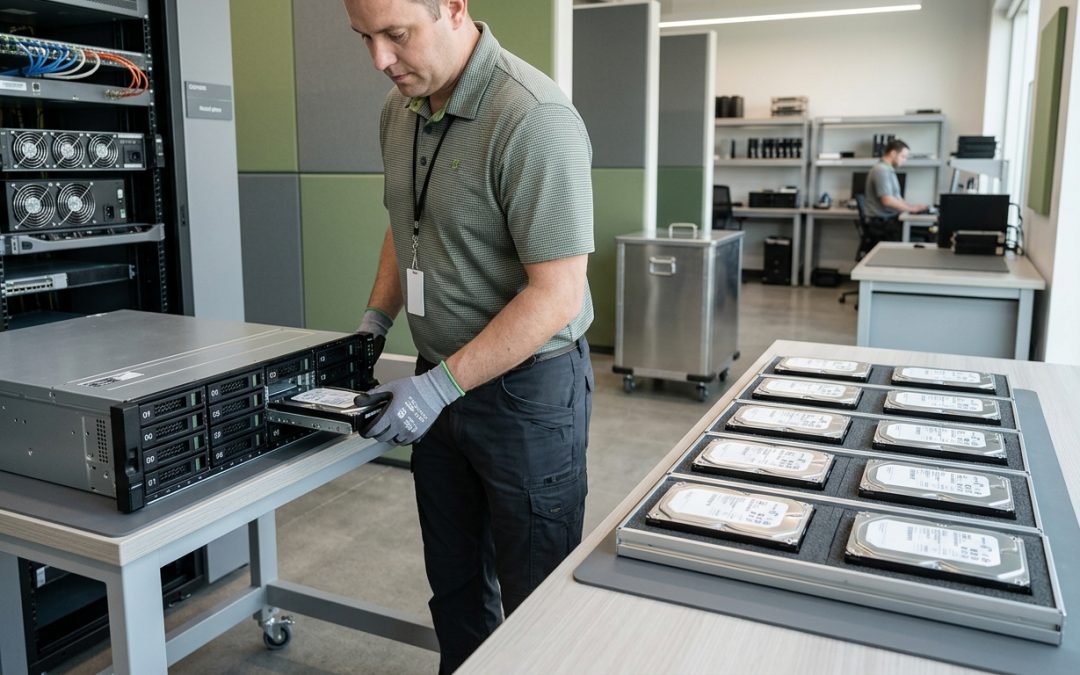
Drive-level destruction involves removing each drive from the array and sanitising or destroying them individually. This approach provides higher assurance because each drive is treated as an independent data-bearing device. The wiping tool can access every sector on each drive without the RAID controller’s abstraction layer in the way.
For most compliance scenarios, drive-level destruction is the recommended approach. It provides the most thorough sanitisation and generates individual certificates of destruction for each drive, which simplifies audit documentation.
Hot Spare and Spare Drive Considerations
RAID configurations often include hot spare drives that automatically replace failed drives in the array. These hot spares may contain data from previous rebuild operations, even if they are not currently part of the active array. When decommissioning a RAID system, all hot spare drives must be identified and included in the destruction plan.
Similarly, drives that were previously part of the array but have been replaced due to failure may still contain recoverable data. If these drives were set aside rather than immediately destroyed, they represent a data exposure risk. Organisations should have a process for immediately sanitising or destroying any drive removed from a RAID array, regardless of whether it failed or was removed for other reasons.
RAID Controller Considerations
RAID controllers, whether hardware-based or software-based, may store configuration data that includes information about the array layout, drive assignments, and potentially cached data. Hardware RAID controllers with battery-backed or flash-backed write caches may hold recently written data that has not yet been flushed to the drives.
Before removing drives from a hardware RAID controller, ensure that the write cache has been flushed. Most controllers have management utilities that allow you to force a cache flush. After the drives are removed, the RAID controller card itself should be cleared of configuration data, particularly if it will be reused or disposed of separately.
Server Decommissioning Context
RAID arrays are most commonly found in servers, and RAID disposal typically occurs as part of a broader server decommissioning process. When planning server decommissioning, document the RAID configuration (level, number of drives, hot spares) before beginning the disposal process. This documentation ensures that all drives are accounted for and that the destruction plan addresses every data-bearing component.
Modern servers may have multiple RAID arrays, including separate arrays for the operating system and data partitions. They may also have M.2 or other embedded storage devices used for boot or caching purposes that are separate from the main RAID arrays. A comprehensive inventory of all storage devices in the server is essential before destruction begins.
Destruction Methods for RAID Drives
The appropriate destruction method for individual RAID drives follows the same principles as for any storage media. Software wiping using NIST 800-88 compliant tools is suitable for functional drives that will be reused. Physical destruction through shredding or crushing is appropriate for drives that are damaged, contain highly sensitive data, or have no residual value.
When using software wiping, each drive should be wiped individually after removal from the RAID array. Do not rely on the RAID controller to facilitate the wipe, as the controller’s abstraction layer may prevent the wiping tool from accessing all physical sectors.
Documentation Requirements
RAID arrays require more attention during disposal than standalone drives, but the fundamental principles are the same: identify all data-bearing components, sanitise or destroy each one, and document the entire process. Thoroughness is the key to effective RAID disposal.
EWV helps Victorian businesses manage e-waste and IT asset disposal compliantly and sustainably — including collection, certified data destruction, and recycling. Contact us for a free quote.